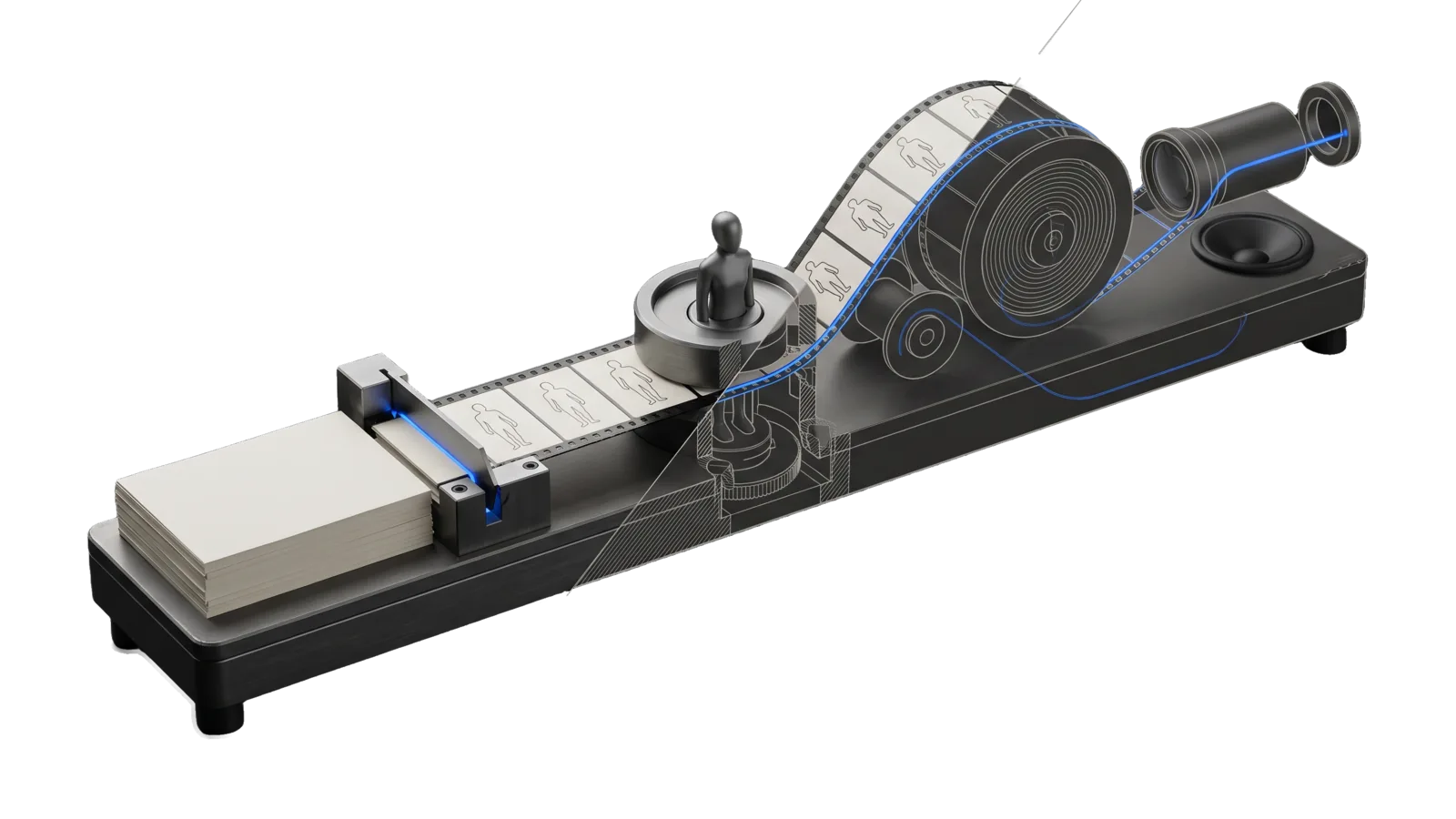
A long machined bench with a stack of blank manuscript sheets beside a cutter, a turret holding a small faceless mannequin mould that presses the same figure outline into each slab, and a film strip curling in an S over two spools to a projection lens and a small speaker cone; a diagonal cut ghosts the second spool in bone-grey outline, and an electric-blue line runs from the cutter through the mould and along the strip to the lens.
Creative

StoryFilm

Turns a story markdown file into a narrated animated film, a new reading format where the listener is read to and sees the story as it is told: beats from paragraphs, a bible so every character and place looks the same in every shot, one painting per beat in one style, Fish Audio narration in the story's voice with word timings, a HyperFrames film with camera moves, dissolves, scene breaks, a caption line and title cards, read back and verified

02
Workflows
16
Tools
01
Reference
10
Triggers

Key Points

Not for the principal's own recordings, argument-first video essays, one-off motion graphics (Remotion), single illustrations (Art), writing the story itself (WriteStory)

Inside the Skill

The thinking, frameworks, and architecture that distinguish this skill from a generic version of the same task.

Ideal State

  • A story file becomes a film a viewer accepts as one made thing: the same faces first frame to last, each painting fitting its beat, the caption in step with the voice.
  • Every film is read back before anyone sees it: Out/verify.json green and complete, the Assay video eval set (video-eval) passed in the verify stage as Intents/Produce.md declares it, the review sheets looked at, and the ArtDirection critique passed on the exact bytes delivered.
  • Nothing reaches the principal as a first draft: the film and its sheets land in the downloads folder only through Run.ts --deliver, after a passing critique and a Proof receipt.
  • Expensive stages run once per change: the storyboard is reviewed and linted before any painting, and every later stage is hash-cached so an edit redoes only what it touched.
  • Nothing leaves review: the skill has no upload or publish path.

Intent Routing

Intent Trigger File
Full "film this story", "animated reading of X", "turn this story into a movie", anything that starts from a story file Intents/Full.md
Storyboard "storyboard this", "write the bible", "plan the shots", a redo of the creative stage after intake Intents/Storyboard.md
Produce "paint the shots", "render it", "re-render after an edit", "verify the film" Intents/Produce.md
File Read when
References/StoryboardSchema.md writing or editing Storyboard.json
ISA.md changing what the skill does: its ideal state, criteria and decisions
Setup.md first-time setup: Fish Audio and Google keys, ffmpeg and the other programs, optional Config.json

Full is Intake → Storyboard → Produce. The storyboard is the review checkpoint when the principal wants one: it is cheap to change and forty paintings are not. Skip it by saying so ("straight through").

Run Layout

<run>/
  run.json  Beats.json  Storyboard.json  pronunciations.json (optional)
  Bible/<id>.<hash>.png        style plate + reference sheets
  Shots/<beat>.<hash>.png      one painting per beat · contact-sheet.png
  Narration/<beat>.<hash>.{mp3,align.json,wav}  narration.wav  timeline.json
  Out/composition/             the HyperFrames project Build.ts writes (index.html, plan.js, film.js, shots/, narration.wav)
  Out/film.mp4  render.json  render.log  verify.json  Critique.json  frames/  caption-check/  review/{contact-sheet,motion-strip}.png

Data & Config

First-time setup (accounts, keys, files to fill in): Setup.md.

  • Voice: --voice, else the story's audio_voice frontmatter, else the DA's main voice from LIFEOS_CONFIG.toml. The value is a role (main, presenter, principal), fish:<reference id>, or the voice_id of a [da.voices.*] profile that has a fish_reference_id; any other id stops with an error naming where to add one. Narration is Fish Audio Drama 3 (FishTTS.ts) and takes no model flag; the DA's own voice reads at its configured fish_speed, any other voice at natural pace. Key: FISH_API_KEY in the env file; the principal role also needs FISH_PRINCIPAL_VOICE_ID.
  • Images: the geminiImage lane in LIFEOS/TOOLS/models.ts on GOOGLE_API_KEY, 16:9 at 2K, reference images attached per shot.
  • LIFEOS/USER/CUSTOMIZATIONS/SKILLS/StoryFilm/Config.json: runsRoot (default ~/StoryFilms; LIFEOS_STORYFILM_DIR overrides), fonts.serif / fonts.serifItalic (paths to licensed faces; path.ttc#<index> names one face of a collection), embedded into each composition as @font-face data. No font configured means the default serif, Source Serif 4 roman and italic (SIL Open Font License), installed by Setup.ts as the pinned @fontsource/source-serif-4 dependency.
  • LIFEOS/USER/CUSTOMIZATIONS/SKILLS/StoryFilm/PREFERENCES.md: the principal's casting and register taste for the Storyboard intent. Config.json provingRun names the run slug the skill ISA's proving-run checks use (Setup.ts --proving-run prints it).
  • Pronunciations: USER/PRINCIPAL/PRONUNCIATIONS.json plus a per-run pronunciations.json, applied to spoken text only; the caption shows the story's words.
  • Run.ts refuses a run dir under the config tree or the user-data repo (symlinks dereferenced first).

Gotchas

  • The image model copies whatever is in the style plate, including things that are not style (2026-09-17, first run). A violet dot in the plate put a stray bead on a character sheet. Keep the plate's subject empty (the prompt asks for an empty interior) and say in each bible desc what the character must NOT carry.
  • The story file can change under a run. Intake reads the frontmatter once; a voice or prose edit in the source after intake is invisible until Intake.ts runs again (2026-09-17: the narrator was re-cast in the story file after the first intake, and the first film went out in the old voice). Re-run Intake before any re-narration and diff the beat count.
  • bun test <bare path> drops child-process output (Bun 1.3.6). Always bun test ./skills/StoryFilm/Tools.

Examples

Example 1: a story file to a film

User: "Turn the story at stories/the-lighthouse.md into an animated reading"
→ Full: Intake writes Beats.json; the Storyboard intent writes the bible and one shot per beat; lint exits 0
→ Run.ts: bible painted, shots painted (4 at a time, cached by hash), narration synthesized, film rendered, verify.json green, review sheets written
→ ArtDirection critique of Out/film.mp4 passes into Out/Critique.json; Run.ts --from sheet --deliver lands the film and sheets in the downloads folder

Example 2: one painting is wrong

User: "The kitchen in beat 12 looks like a restaurant — fix it"
→ Edit that shot's prompt in Storyboard.json (and the place's bible desc if the sheet is the problem)
→ Run.ts --from lint --to shots repaints that one beat (everything else is cached); Run.ts --from build re-renders and re-verifies

Example 3: a character drifts

User: "Ana looks forty in half the shots"
→ Tighten her bible desc (age, face), Characters.ts --only ana repaints her sheet, Shots.ts --force repaints the shots that carry her ref (their hash changed with the sheet)

Workflows & Routing · 2

Each workflow is one job the skill runs. The trigger phrases route your request to the right one — this is the skill's routing table.

  1. 01
    `Intents/Storyboard.md` "storyboard this", "write the bible", "plan the shots", a redo of the creative stage after intake

    storyboard this, write the bible, plan the shots, a redo of the creative stage after intake

  2. 02
    `Intents/Produce.md` "paint the shots", "render it", "re-render after an edit", "verify the film"

    paint the shots, render it, re-render after an edit, verify the film

Tools · 16

Deterministic executables the workflows call — the code that does the real work, not prompt scaffolding.

  • Build.ts
  • Characters.ts
  • FilmComposition.ts
  • FilmRuntime.ts
  • FilmTimeline.ts
  • Intake.ts
  • Lib.ts
  • Motion.ts
  • Narrate.ts
  • Paint.ts
  • Run.ts
  • SerifFont.ts
  • Setup.ts
  • Shots.ts
  • StoryboardLint.ts
  • Verify.ts

How to Invoke

Say any of these to your DA and LifeOS activates the StoryFilm skill automatically:

  • "animated reading"
  • "story film"
  • "film this story"
  • "animate this story"
  • "illustrated audiobook"
  • "narrated story video"
  • "turn this story into a movie"
  • "storyboard this story"
  • "paint the shots"
  • "render the story film"

Or invoke explicitly:

Skill("StoryFilm")

References · 1

Auxiliary files the skill loads at runtime — frameworks, guides, configs.

  • Setup

Want LifeOS to do this for you?

Install LifeOS on your machine — your DA gets the StoryFilm skill plus 96 others, all hooked into one Life OS.