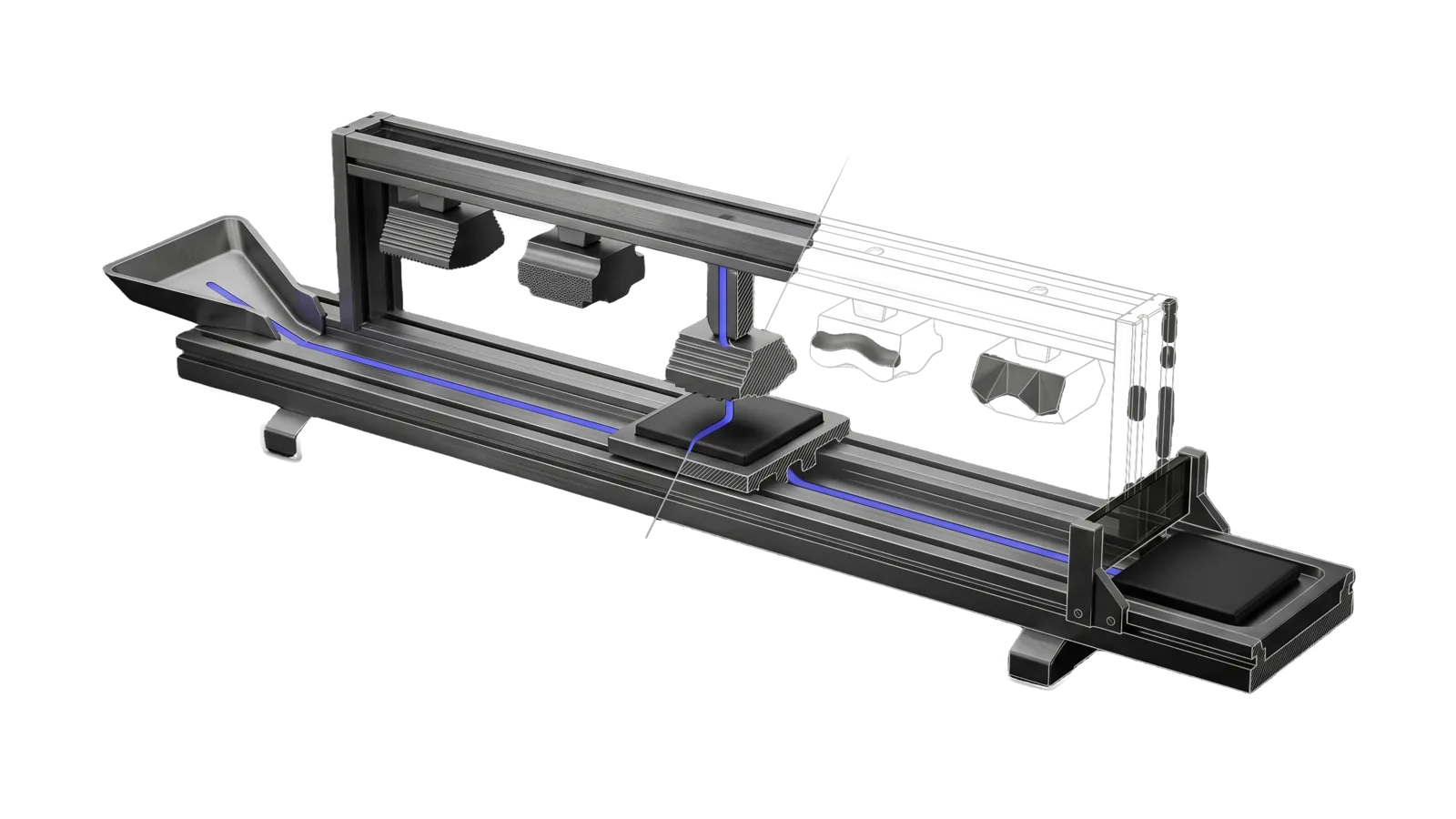
A long machined track with an overhead rack of five stamping dies of different relief, one ridged die lowered onto a tile on a carriage, the far half of the rack and the holding tray ghosted in bone-grey line, with an indigo channel running from the inlet chute through the lowered die to the tray.
Creative

Art

Static visual content in 20+ formats (diagrams, infographics, comics, icons, wallpaper) via Nano Banana Pro by default, Nano Banana, and Flux, plus technical diagrams and a few essay illustrations that draw themselves as looping GIFs

21
Workflows
06
Tools
01
Reference
20
Triggers

The Problem

Ask a generic AI to generate a blog header or architecture diagram and you get something that technically exists. The composition is generic, the style is inconsistent across posts, the text in diagrams is garbled, and there's no concept of where the image goes or what format it needs to be. The model dumps the file wherever it wants, sends a social thumbnail with a transparent background (which renders as black on X), and has no idea your blog uses a sepia background that needs specific handling.

How This Skill Approaches It

Each of the 20+ output types routes to a specific workflow — Essay for blog headers, TechnicalDiagrams for architecture, Frameworks for 2x2 matrices, D3Dashboards for interactive charts, Comics for sequential panels, and so on. Generate.ts enforces this: it won't run without a --workflow flag, so the technique, palette, and composition rules encoded in each workflow file actually get applied. Model selection is job-specific: gpt-image-2 for text-heavy work (stat cards, aphorism cards, taxonomies) because it leads the Arena leaderboards on text rendering; nano-banana-pro for editorial illustration because PREFERENCES.md pins the aesthetic. Blog headers always use --thumbnail, which produces both a transparent WebP for the body and a sepia-backed thumbnail for social. All output stages to ~/Downloads/ first — nothing goes to a project directory until you've reviewed it.

Not for any request that says visualize (Visualize owns every "visualize X" and may embed Art output), YouTube/video thumbnails (the video skill), other video or animation (HyperFrames), web UI design (Webdesign)

In Action

What you say to your DA, and what the Art skill actually does.

  • You say "make a header image for my post about how AI systems learn from feedback"
    Routes to the Essay workflow, composes a prompt following the workflow's 8-step template, runs Generate.ts with --workflow=Essay --thumbnail, produces a transparent PNG for the blog body and a sepia-backed thumb for social frontmatter, both staged to ~/Downloads/ for review.
  • You say "diagram the SPQA pattern as a technical architecture visual"
    Routes to TechnicalDiagrams workflow, uses gpt-image-2 for strong text rendering, generates a structured architecture diagram with labeled components, outputs to ~/Downloads/ before any copy to the project.
  • You say "create a stat card showing 41k GitHub stars for Fabric"
    Routes to Stats workflow, selects gpt-image-2 for text-heavy layout, generates a clean stat card with the number as the visual anchor, stages to ~/Downloads/ for review.

Inside the Skill

The thinking, frameworks, and architecture that distinguish this skill from a generic version of the same task.

Ideal State

  • Every image comes from the intent that matches the request, and its composition is reasoned from the specific argument or content it illustrates: scene concepts weighed against each other, every element in the frame carrying a narrative role, never a subject list dropped into a prompt.
  • Every image holds its intent's technique and palette, or the style PREFERENCES.md sets, unless the principal names another style, and every person in it follows the figure treatment described in Gotchas.
  • Every label, number, value and arrow in a diagram, stat card or annotated image is factually correct and spelled exactly as the source has it; one misspelled word, garbled digit or wrong hex value fails the image however good the art is. When the request asks for an image rendered from authored SVG, the delivered file comes from that SVG, never from an image model.
  • An edit of an existing photo or reference image changes only what the request names: the subject's identity, and every element the request did not mention, read the same in the output as in the source.
  • A set of images made for one deck or page reads as one set: the same medium, palette, ground and figure style as the style references the request names.
  • Every image is rendered in a working directory outside Downloads (or the staging directory its intent names), passes the ArtDirection quality loop there, and reaches Downloads only through ArtDirection's Deliver.ts; nothing is copied into a project before that hand-off, except where an intent wires its own winner in without handing back.
  • A finished file is verified, not assumed: it was looked at with the Read tool in this turn, file reports real RGBA where transparency was the point, its native dimensions fit the destination, and a blog header ships both the transparent inline image and the opaque -thumb.png and carries the signature stamp the Essay intent applies.
  • A one-of-a-kind generation survives any background cut: its raw stays on disk until the cut PNG has been read and every subject in it confirmed present.

Intent Routing

Intent Trigger File
Essay Blog header or editorial essay illustration Intents/Essay.md
AnimatedEssay Animate a finished Essay still as a looping GIF (rare: at most 3 per deck; Tools/AnimatedEssay.ts, no Generate.ts) Intents/AnimatedEssay.md
RemoveBackground Background removal only Intents/RemoveBackground.md
LogoWallpaper brand-logo wallpaper with logo integration Intents/LogoWallpaper.md
EmbossedLogoWallpaper Embossed logo wallpaper Intents/EmbossedLogoWallpaper.md
D3Dashboards D3.js interactive chart or dashboard Intents/D3Dashboards.md
Visualize Generic visualization (none of the other intents fit) Intents/Visualize.md
Mermaid Mermaid flowchart or sequence diagram Intents/Mermaid.md
TechnicalDiagrams Technical or architecture diagram, static or animated GIF (animated: § Animated Option, Tools/AnimatedDiagram.ts, no Generate.ts) Intents/TechnicalDiagrams.md
LifeOSHero LifeOS philosophy card hero (One Block series: one cube changed by one move, transparent cut-out, card accent) Intents/LifeOSHero.md
Taxonomies Taxonomy, hierarchy or classification grid Intents/Taxonomies.md
Timelines Timeline or chronological progression Intents/Timelines.md
Frameworks Framework, 2x2 or matrix Intents/Frameworks.md
Comparisons Comparison or X vs Y Intents/Comparisons.md
AnnotatedScreenshots Annotated screenshot Intents/AnnotatedScreenshots.md
RecipeCards Recipe card or step-by-step Intents/RecipeCards.md
Aphorisms Aphorism or quote card Intents/Aphorisms.md
Maps Map, conceptual map or territory Intents/Maps.md
Stats Stat card or big number visual Intents/Stats.md
Comics Comic or sequential panels Intents/Comics.md
SalesVisual Square charcoal sales or value-proposition sketch (Presentation Pitch calls it) Intents/SalesVisual.md

YouTube, channel and video thumbnails are not this skill: the video skill owns thumbnails end-to-end with its own vendored art intents and compositors (moved out of Art 2026-08-28).

File Read when
EvalState.md checking the latest scores of the Art eval suites (machine-written by skills/Assay/Tools/EvalState.ts)
References/Models.md changing model or --size, passing --reference-image (includes the reference-edit gotcha), or mapping an Essay request's words to flags
References/BlogHeaders.md making, cutting or wiring a blog header (Essay, any --thumbnail run): the command, transparency rules, verification, post wiring, and the white-box and interior-white gotchas
References/EssayComposition.md an Essay run designing composition.md: problem types, emotional registers and warm:cool ratios, and worked Opposite-Concept iconography tables
References/EssayRounds.md reading an Essay EvalRound.ts table, or rewriting the next round's prompt after a candidate fails a Validation Checklist row
Tools/ running a tool directly: each <Tool>.help.md (AnimatedDiagram, AnimatedEssay, CutHero, EvalRound) is that tool's contract
Setup.md first-time setup: the image-model keys, rembg and ImageMagick, the dependencies to install, and a dry-run proof

Safety gates

Generate.ts intent gate

Generate.ts refuses to run unless it gets --intent=<name> (or the explicit --freeform-confirmed opt-out), and exits non-zero with the intent lookup table. The rule was markdown-only until it was silently ignored and one session produced a run of rejected diagrams (incident 2026-04-30); it now lives in code. The --intent=<name> flag asserts that the matching intent file was read and its prompt template followed: the intent templates encode the technique, palette, composition rules and validation gate the bare model fails to honor, and a freeform prompt shipped straight to Generate.ts is refused.

The one exception: the user explicitly says "freeform" / "skip the intent" / "just run Generate.ts directly with this prompt: ...". Then pass --freeform-confirmed, which logs the explicit opt-out to stderr for audit. Without that instruction from the user, pick the matching intent and pass --intent=<name>.

If no intent matches the request, stop and surface it to the user before generating, proposing (a) the closest existing intent, (b) Visualize.md as the generic catch-all, or (c) a new intent created first through the CreateSkill skill.

Output staging

Every generated image, in every intent, is rendered first into a working directory outside Downloads (for example scratchpad/art/<slug>/, written $ART_DIR in the commands below) or the staging directory its intent names, never directly into Downloads or a project's public/images/ directory: images pushed straight to repos have failed several times. Once the image has passed the quality loop below and the verification under Tool contract, it is handed off with bun ~/.claude/skills/ArtDirection/Tools/Deliver.ts --artifact <file> --to ~/Downloads. A file is copied into a project (e.g., cms/public/images/) only after that hand-off, and the WebP and thumbnail versions are made from the staged file. Whether the principal approves before that move is the intent's rule: the Essay intent wires its picked winner into the site without handing back (principal directive, 2026-09-22), and an intent that says nothing waits for the principal's review.

Quality loop

Nothing this skill produces reaches the principal as a first draft (principal directive, 2026-09-17). The artifact goes through Skill("ArtDirection"): a direction council before new or large work, then the cross-vendor critique panel (skills/ArtDirection/Tools/Critique.ts) scores it against the rubric and names defects, then this skill iterates on those defects until the bar or reports the shortfall. For still images, one round is one command: Tools/EvalRound.ts runs the asserts, blind describer and meaning ladder, cross-vendor critique, and flipped tournament in parallel, picks the winner in code, and takes 2 minutes or less (contract: Tools/EvalRound.help.md). Hand-over is skills/ArtDirection/Tools/Deliver.ts, which refuses without a passing critique. Record the principal's verdict with skills/ArtDirection/Tools/Calibrate.ts.

Vendors

Generate.ts ships only the models listed under Tool contract. Removed model names (gpt-image-1, gpt-image-2, the dual-provider compare mode) exit with an error pointing at nano-banana-pro. Which image vendors this install allows is the principal's call, recorded in <configRoot>/LIFEOS/USER/CUSTOMIZATIONS/SKILLS/Art/PREFERENCES.md § Vendors; read it before changing a model path. Do not add a vendor as a substitute when a round fails: adding a new vendor to any lane requires the principal's explicit approval.
Tool contract

bun ~/.claude/skills/Art/Tools/Generate.ts \
  --intent=<IntentName> \
  --model nano-banana-pro \
  --prompt "..." \
  --size 2K \
  --aspect-ratio 16:9 \
  --output "$ART_DIR"/<filename>.png

<IntentName> matches a file under Intents/ without .md. API keys are in <configRoot>/.env (~/.claude/.env by default; Generate.ts also checks ${LIFEOS_DIR}/.env first); Setup.md lists them.

The default model is nano-banana-pro unless PREFERENCES.md pins another; flux and nano-banana take an aspect ratio in --size, and the per-model sizes, the model-per-job table and reference-image use are in References/Models.md. A blog header adds --thumbnail; its command, transparency rules, verification and post wiring are in References/BlogHeaders.md.

Data & Config

User customizations live at <configRoot>/LIFEOS/USER/CUSTOMIZATIONS/SKILLS/Art/ (configRoot is $CLAUDE_CONFIG_DIR when set, else ~/.claude). When the directory exists, its files override the defaults here; when it does not, the skill defaults stand. First-time setup (accounts, keys, config, a proof it works) is in Setup.md.

  • PREFERENCES.md - Aesthetic preferences (visual style and influences, line treatment and rendering approach, color palette and wash technique, character design, scene composition), default model, output location, and reference image locations with style examples by use case. Load the relevant user-provided references before generating.
  • PREFERENCES.md § Typography - maps each type role the intents name (wedge-serif title and subtitle, geometric-sans labels, condensed-italic insights, hand-lettered display) to the install's own faces; when the section exists, prompts name those faces for those roles. § Color Palette, § Character Design, § Signature and § Vendors likewise replace the skill defaults.
  • DiagramFonts.json - font files per type role, read by Tools/AnimatedDiagram.ts
  • CharacterSpecs.md - Character design specifications
  • SceneConstruction.md - Scene composition guidelines
  • History.md - the specific work behind the dated gotchas

Without customization, the default aesthetic is production-quality concept art suited to editorial and technical content.

Gotchas

  • Verify image dimensions match the target use before claiming done. Social cards (1200x630, usually built by the site from the post's largest image), blog headers, and listing thumbnails (512 wide) have different size requirements. A header that works on the blog may be too small to build a sharp OG/social card.
  • When asked to use a specific image URL or file, use exactly that asset. Don't substitute similar images. Past rating-1 failures came from using wrong image assets.
  • --remove-bg may produce black backgrounds instead of transparency. Verify transparent PNG output visually before deploying.
  • RemoveBg.ts converts in place and zeroes RGB under removed alpha, so the original is unrecoverable. Running it on a .jpg replaces the file with the cut .png; if rembg eats an element (paper stacks, thin props, the DA-name signature), you cannot flatten the alpha back to recover the source and must regenerate (cost: a full new roll, 2026-08-16). cp the original before running RemoveBg.ts on a one-of-a-kind generation, every time.
  • --thumbnail / --remove-bg can erase whole subjects in multi-subject compositions (2026-09-23, a two-subject blog header). rembg's default model keeps only the most salient object and fades the rest; on a two-ecosystem scene it kept one hub and fogged out the rival network and the person, and because the raw is deleted and RGB is zeroed under removed alpha the loss was unrecoverable. For any composition with more than one subject, keep the raw (copy it, or point REMBG_BIN at a wrapper that saves it first) and cut with rembg -m birefnet-general, which kept every element with a clean edge. Read the cut PNG and confirm every subject survived before judging it.
  • --remove-bg is unsafe for thin-linework technical diagrams. rembg classifies thin black ink on a light field as "background" and strips it, leaving a near-empty ghost. Documented 2026-05-11 on a flowchart. Mitigations: (a) prompt for thick saturated linework first so rembg has a strong signal, or (b) skip --remove-bg entirely when the destination background matches the image's background (an opaque diagram drawn on the page's own ground, PREFERENCES.md § Color palette, composites with zero visible seam, no alpha needed).
  • Logo fidelity breaks in 3D/perspective scenes even with a reference image. Documented 2026-06-11 on a brand wallpaper set: straight-on and macro scenes held the glyph topology, but the isometric 3D scene changed it (an open stroke closed, a separate element dropped). For any perspective/3D composition with a logo, add topology-locked negative language to the prompt that names each feature of the mark ("do not close the open stroke", "do not omit the separate element", name every stroke and terminal) on top of --reference-image, and vision-verify the topology specifically. The install mark and its topology rules live in <configRoot>/LIFEOS/USER/CUSTOMIZATIONS/SKILLS/Art/PREFERENCES.md § Wallpaper.
  • nano-banana-pro "4K 16:9" is actually 5504×3072 (43:24, ~0.8% wider than 16:9), saved as .jpg even when --output says .png. Disclose the native ratio when the spec says 16:9, and probe the real filename before Read/delivery.
  • Image models default every person to white, so every figure treatment is stated in the prompt (principal, 2026-07-12, 2026-09-20, 2026-09-23). <configRoot>/LIFEOS/USER/CUSTOMIZATIONS/SKILLS/Art/PREFERENCES.md § Character design sets the treatment and the sentence the prompts carry; without it the skill default is a varied cast whose skin tone, age and build each prompt names, spanning a natural range. Any multi-figure scene (essay headers, comics, visualizations) states the treatment explicitly, a group that defaults to one ethnicity is a hard failure, and the ArtDirection rubric scores a violation as a critical defect. See Essay.md HUMAN FIGURES block + Step 8 checklist.
  • Every art request uses its matching intent and that intent's technique, plus <configRoot>/LIFEOS/USER/CUSTOMIZATIONS/SKILLS/Art/PREFERENCES.md when present, unless the principal names a different style (principal, 2026-09-24). Feedback about tone ("more positive", "less dark") is fixed inside the technique: lighter ground, warmer washes, smaller cool accent, a different scene. It is never a license to switch medium. A "more positive" redo once went out in a different painted medium under --intent=Essay and was rejected. The Essay contract's mandates and medium bans now refuse that prompt in Generate.ts.
  • Essay/blog headers are signed with the DA name (getDAName() from hooks/lib/identity; principal, 2026-06-20 + 2026-07-09) in a small, integrated cursive signature hand. Generate.ts stamps it programmatically (Essay.md Step 7.1: the macOS cursive SignPainter-HouseScript face by default, ~3% of image width, semi-transparent charcoal, slight rotation, tucked into the composition's bottom-right); never prompt the signature into the model, because it garbles. A large print-letter signature reads as a label rather than a painter's mark; faces the principal has rejected for the signature are listed in <configRoot>/LIFEOS/USER/CUSTOMIZATIONS/SKILLS/Art/PREFERENCES.md § Signature.
  • Kept inline: the frontmatter eval contract, the four safety gates (intent gate, output staging, quality loop, vendors), the default Generate.ts command, and the cross-intent gotchas that RemoveBackground, TechnicalDiagrams, Comics, Visualize, Mermaid, Comparisons and the wallpaper intents point at as "SKILL.md Gotchas"; every run needs them.
  • Image generation is Google plus Flux, never OpenAI — Nano Banana Pro (the default) and Nano Banana from Google, plus Flux; the last two run on Replicate. OpenAI image models are not used. Image skills and intents must not offer an OpenAI image option, and requests for one should error and point to Nano Banana Pro.

Examples

Example 1: Blog header image

User: "create a header for my AI agents post"
→ Essay intent
→ A charcoal-sketch header picked by EvalRound.ts, as a transparent PNG plus a page-ground -thumb.png staged outside Downloads, then optimized and wired into the post

Example 2: Technical diagram with exact values

User: "technical diagram: TCP flags byte (tcp[13]) bit layout with hex values and three worked sums"
→ TechnicalDiagrams intent
→ A diagram on the palette ground whose every bit label, hex value and sum is correct and legible, checked against the source before hand-over

Example 3: Comparison image

User: "make a comparison image of humans vs AI decision-making"
→ Comparisons intent
→ A hand-drawn split comparison with a clear dividing line, labeled sides and contrasting metaphors

Workflows & Routing · 21

Each workflow is one job the skill runs. The trigger phrases route your request to the right one — this is the skill's routing table.

  1. 01
    Essay Intents/Essay.md

    Blog header or editorial essay illustration

  2. 02
    AnimatedEssay Intents/AnimatedEssay.md

    Animate a finished Essay still as a looping GIF (rare: at most 3 per deck; Tools/AnimatedEssay.ts, no Generate.ts)

  3. 03
    RemoveBackground Intents/RemoveBackground.md

    Background removal only

  4. 04
    LogoWallpaper Intents/LogoWallpaper.md

    brand-logo wallpaper with logo integration

  5. 05
    EmbossedLogoWallpaper Intents/EmbossedLogoWallpaper.md

    Embossed logo wallpaper

  6. 06
    D3Dashboards Intents/D3Dashboards.md

    D3.js interactive chart or dashboard

  7. 07
    Visualize Intents/Visualize.md

    Generic visualization (none of the other intents fit)

  8. 08
    Mermaid Intents/Mermaid.md

    Mermaid flowchart or sequence diagram

  9. 09
    TechnicalDiagrams Intents/TechnicalDiagrams.md

    Technical or architecture diagram, static or animated GIF (animated: § Animated Option, Tools/AnimatedDiagram.ts, no Generate.ts)

  10. 10
    LifeOSHero Intents/LifeOSHero.md

    LifeOS philosophy card hero (One Block series: one cube changed by one move, transparent cut-out, card accent)

  11. 11
    Taxonomies Intents/Taxonomies.md

    Taxonomy, hierarchy or classification grid

  12. 12
    Timelines Intents/Timelines.md

    Timeline or chronological progression

  13. 13
    Frameworks Intents/Frameworks.md

    Framework, 2x2 or matrix

  14. 14
    Comparisons Intents/Comparisons.md

    Comparison or X vs Y

  15. 15
    AnnotatedScreenshots Intents/AnnotatedScreenshots.md

    Annotated screenshot

  16. 16
    RecipeCards Intents/RecipeCards.md

    Recipe card or step-by-step

  17. 17
    Aphorisms Intents/Aphorisms.md

    Aphorism or quote card

  18. 18
    Maps Intents/Maps.md

    Map, conceptual map or territory

  19. 19
    Stats Intents/Stats.md

    Stat card or big number visual

  20. 20
    Comics Intents/Comics.md

    Comic or sequential panels

  21. 21
    SalesVisual Intents/SalesVisual.md

    Square charcoal sales or value-proposition sketch (Presentation Pitch calls it)

Tools · 6

Deterministic executables the workflows call — the code that does the real work, not prompt scaffolding.

  • AnimatedDiagram.ts
  • AnimatedEssay.ts
  • CutHero.ts
  • EvalRound.ts
  • FillFrame.ts
  • Generate.ts

How to Invoke

Say any of these to your DA and LifeOS activates the Art skill automatically:

  • "art"
  • "illustration"
  • "diagram"
  • "flowchart"
  • "animated diagram"
  • "diagram GIF"
  • "animated essay image"
  • "animated header"
  • "infographic"
  • "header image"
  • "blog social thumbnail"
  • "generate image"
  • "mermaid"
  • "comic"

Or invoke explicitly:

Skill("Art")

References · 1

Auxiliary files the skill loads at runtime — frameworks, guides, configs.

  • Setup

Want LifeOS to do this for you?

Install LifeOS on your machine — your DA gets the Art skill plus 96 others, all hooked into one Life OS.