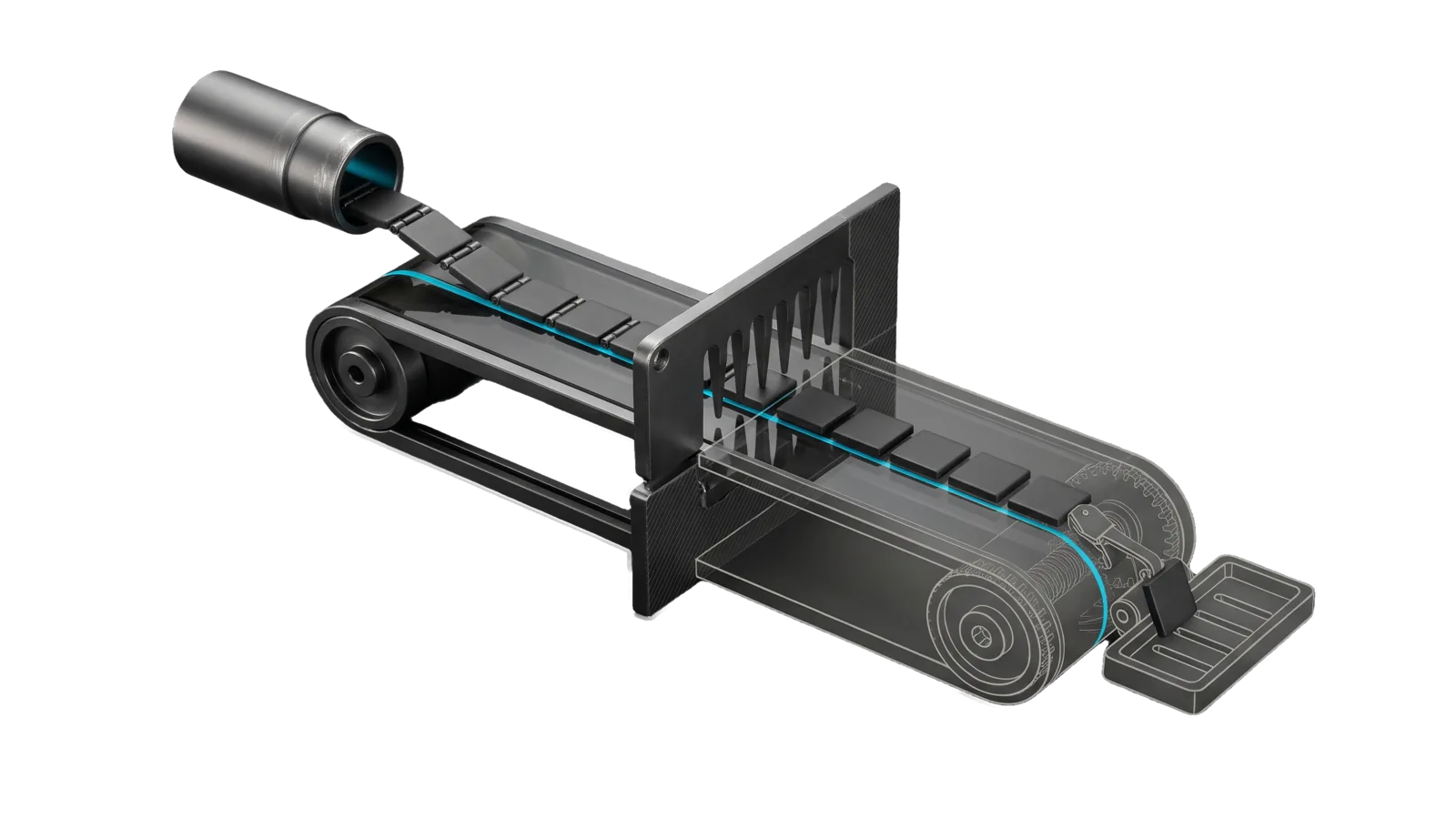
A diagonal conveyor carrying small tiles from a launcher tube under a toothed comb, a diagonal cut turning the far belt, a spring clip arm and a slotted cradle tray into bone-grey outline, with a cyan line running from the launcher along the belt, under the comb and into the cradle.
Research

X

Runs all X (Twitter) operations via X API v2 and the xurl CLI: post tweets and threads with media, publish X Articles, search, fetch bookmarks, sweep new bookmarks into idea-issues with LifeOS Upgrade analysis, look up profiles, read tweets

05
Workflows
11
Tools
01
Reference
22
Triggers

Key Points

Not for posting the same content to several platforms at once, writing social copy, Instagram/LinkedIn/TikTok data (Apify within each platform’s terms), bulk reads beyond what the X API plan allows (use your own exported data or a data product X licenses)

Inside the Skill

The thinking, frameworks, and architecture that distinguish this skill from a generic version of the same task.

Ideal State

  • Every X operation runs through this skill's tools or xurl on the auth mode it needs, and every X read goes through Tools/read.ts, never a web fetch or browser.
  • Nothing reaches the account (a tweet, thread, media post or published Article) without the principal's confirmation, and a post is reported done only after reading it back.
  • Posted text and URLs go out exactly as given, measured by X's weighted count; over-limit text is rejected, never cut.
  • The OAuth 2.0 grant survives every run: one refresher per grant, and a missing scope or revoked grant ends in a surfaced re-authorization URL, never a guess.

Intent Routing

Intent Trigger File
Post "post to X", "tweet", "post tweet", "send tweet", "thread" Intents/Post.md
Search "search X", "search twitter", "find tweets" Intents/Search.md
Bookmarks "X bookmarks", "fetch bookmarks", "re-authorize bookmarks", "authorize X", "bookmark token expired" Intents/Bookmarks.md
PullBookmarks "pull bookmarks", "check bookmarks", "bookmark sweep", "bookmarks for upgrades", "tb", "quick bookmark check" Intents/PullBookmarks.md
Profile "X profile", "twitter profile", "lookup user", "who is @user" Intents/Profile.md
Read "read tweet", "get tweet", "fetch tweet" Intents/Read.md
Article "X article", "Twitter article", "long-form on X", "publish an article to X" Tools/article.ts: create --file piece.md drafts (the default), --publish publishes, then read the post back with Tools/read.ts. Publishing is irreversible through the API.
File Read when
Setup.md first-time setup: the token-store Config.md, the X app and its secrets, and the first-run proof

Tools Reference

All tools are in ~/.claude/skills/X/Tools/ and run with bun. Each intent carries the command for its own tool (post.ts, search.ts, profile.ts, read.ts, bookmarks.ts, and bookmark-issue.ts for the sweep's check, create, skip and audit); this table holds only the tools no intent owns. Which auth mode each path uses is in Gotchas.

Tool Purpose Usage
x-client.ts Credential loader, token store, auth helpers Imported by the other tools
media.ts Chunked media upload (video/image/GIF) bun run media.ts upload clip.mp4
article.ts Long-form X Articles: markdown to content_state, draft, publish bun run article.ts create --file piece.md --publish
delete.ts Delete tweets by id bun run delete.ts <id> [<id> ...]
send gate, video PII gate What stops a post and how each block is reported Post intent § Tool contract (Intents/Post.md)

CLI: xurl

xurl is the official X CLI. Use for quick API calls not covered by tools:

# Quick lookups
xurl /2/users/me
xurl /2/tweets/1234567890

# Search
xurl "/2/tweets/search/recent?query=from:<username>&max_results=10"

# Post (use Tools/post.ts instead for threads)
xurl -X POST /2/tweets -d '{"text":"Hello"}'

Data & Config

Config: LIFEOS/USER/CUSTOMIZATIONS/SKILLS/X/Config.md (a fenced yaml block choosing the OAuth 2.0 token store: local, a 0600 file on this machine that x-client.ts refreshes, or cloudflare-kv, a KV namespace that another process such as a scheduled Worker refreshes). Setup, field table and first-run proof: Setup.md. Without it, reads still work on the bearer token, posting falls back to OAuth 1.0a text-only, and every OAuth 2.0 path (media, Articles, bookmarks, delete) stops with an error naming Setup.md.

The bookmark sweep (PullBookmarks) reads three more things from the same directory and the work-tracking config: the bookmark_sweep mapping in that yaml block (issue labels, property label prefix), PREFERENCES.md (relevance profile and what counts as an idea), and the repo for idea-issues (bookmark_sweep.repo, default the repo in LIFEOS/USER/WORK/work_repo.json). Its state lives outside the skill tree in LIFEOS/MEMORY/STATE/X/ (bookmarks-state.json, bookmark-issues.json). The caller outside the skill is Pulse's Synapse module, which reads bookmark-issues.json; the former scheduled sweep that shelled out to Tools/bookmark-issue.ts is retired.

Secrets, all from ~/.claude/.env, loaded by Tools/x-client.ts and never hardcoded (names only):

Var Purpose
TWITTER_CLIENT_ID OAuth 2.0 client ID (authorize + local refresh)
TWITTER_CLIENT_SECRET OAuth 2.0 client secret
X_BEARER_TOKEN App-only bearer token (reads)
TWITTER_API_KEY, TWITTER_API_KEY_SECRET, X_ACCESS_TOKEN, X_ACCESS_TOKEN_SECRET Optional OAuth 1.0a text-only posting fallback
CLOUDFLARE_ACCOUNT_ID, CLOUDFLARE_API_TOKEN, X_TOKENS_KV_NAMESPACE Only for token_store: cloudflare-kv

Gotchas

  • A published X Article cannot be deleted or edited through the API. X documents POST /2/articles/draft and POST /2/articles/{id}/publish and nothing else — no GET, no PATCH, no DELETE. Drafts are free to create and invisible until published, so iterate on drafts and treat --publish as one-way. article.ts defaults to draft-only for exactly this reason. The X web UI does offer Edit and Delete on a published Article, so a bad publish is recoverable by hand in the browser, not in code.
  • Article content_state is DraftJS in snake_case, not the camelCase DraftJS raw state every online example shows: inline_style_ranges, entity_ranges, and a flat entities array of {key, value} rather than an entityMap object. Offsets index the stripped text (markers removed). Images, embedded posts, code and dividers are atomic blocks whose single-space text is covered entirely by one entity range — a zero-length atomic block is rejected.
  • X's 280-character limit is weighted, not JavaScript text.length. HTTP(S) URLs count as exactly 23 characters and emoji/Unicode follow X weighting in Tools/TwitterText.ts. Tools/post.ts sends the exact caller input or rejects it (Post intent).
  • read.ts returns article and long-tweet text in one call. It requests tweet.fields=article,note_tweet, while X answers WebFetch with 402 and automation browsers are usually logged out, so any other route first only burns time.
  • One refresh chain per grant, ever. X rotates the refresh token on every refresh and treats reuse of a consumed one as theft, revoking the whole grant until a human re-authorizes. With token_store: local, x-client.ts is the only refresher: refreshes run behind <token_file>.lock, waiters re-read the file instead of replaying a consumed token, and writes are tmp+rename. With cloudflare-kv, the external owner refreshes and this client never does. Never call the token endpoint directly with a stored refresh token — always go through getValidTokens() — and never point two installs' local stores at the same grant.
  • Three auth modes, not one. Posting, media, Articles and delete = OAuth 2.0 user context (OAuth 1.0a text-only fallback when no OAuth 2.0 store is configured), reads (search, profiles, tweets) = app-only bearer token, bookmarks = OAuth 2.0 PKCE. A 401 on one path says nothing about the other two.
  • Prefer the OAuth 2.0 store for posting. OAuth 1.0a portal keys can be revoked or regenerated without notice and then 401 on every post; post.ts uses the OAuth 2.0 store whenever one is configured and falls back to OAuth 1.0a only without one. If posting 403s, read the body first: type: …/spend-cap-reached means the account's Billing Cycle Cap in the X developer console is hit (every endpoint 403s until the cap is raised or the cycle resets). Otherwise the grant lacks tweet.write: re-run bookmarks.ts authorize. The consent click is a human's, so surface the URL; if the app grant is still active on the account, authorize completes with no click.
  • Media upload needs its own scope: media.write. Without it POST /2/media/upload returns a bare 403 while /2/tweets keeps working, which reads as "video posting is broken" rather than "the grant is short a scope". SCOPES in bookmarks.ts carries it; a grant authorized without it must be re-authorized once.
  • The v2 media endpoints are sub-paths, not command= parameters, and X's own chunked-upload doc still describes the retired v1.1 shape. The working contract is: POST /2/media/upload/initialize (JSON body: media_type, total_bytes, media_category) → POST /2/media/upload/{id}/append (multipart: segment_index, media, segments ≤5MB) → POST /2/media/upload/{id}/finalize. Sending command=INIT to the base path returns 400 "Missing media field in JSON" — the parameter is ignored and the call is read as a simple upload, so the error names the wrong problem. Images ≤5MB skip all of it: one multipart POST /2/media/upload with a media field.
  • Status is the one call that still speaks the old dialect: GET /2/media/upload?media_id=<id>&command=STATUS. It rejects media_ids (the plural that every other v2 endpoint takes) and has no sub-path form. Video/GIF process asynchronously — poll to succeeded before attaching, because an unprocessed media_id publishes a tweet with no video and no error. All of this is encoded in Tools/media.ts.

Examples

Example 1: Read a tweet link

User: "read this: https://x.com/<user>/status/<id>"
→ bun run Tools/read.ts <url> (immediately — no browser attempts)
→ Returns the tweet, plus the full article plain_text when the post carries an X Article

read.ts takes a status URL or a numeric tweet ID. A bare x.com/i/article/<id> link is an article ID, not a tweet ID, and the API has no read-by-article-ID call; use the status URL of the post that carries the article.

Example 2: Fetch recent bookmarks

User: "show my last 20 X bookmarks"
→ Bookmarks intent: bun run Tools/bookmarks.ts fetch 20
→ Author, text and links per bookmark

Example 3: Bookmark sweep

User: "tb"  (or "just check bookmarks" for quick mode: last 30, MEDIUM skipped)
→ PullBookmarks intent: fetch 50 --json, filter seenIds
→ each new bookmark created-or-skipped inline via bookmark-issue.ts, audit passes, Upgrade report with prior-work tags

Workflows & Routing · 5

Each workflow is one job the skill runs. The trigger phrases route your request to the right one — this is the skill's routing table.

  1. 01
    Post Intents/Post.md

    post to X, tweet, post tweet, send tweet, thread

  2. 02
    Search Intents/Search.md

    search X, search twitter, find tweets

  3. 03
    Bookmarks Intents/Bookmarks.md

    X bookmarks, fetch bookmarks, re-authorize bookmarks, authorize X, bookmark token expired

  4. 04
    PullBookmarks Intents/PullBookmarks.md

    pull bookmarks, check bookmarks, bookmark sweep, bookmarks for upgrades, tb, quick bookmark check

  5. 05
    `Intents/Read.md` **Read**

    read tweet, get tweet, fetch tweet

Tools · 11

Deterministic executables the workflows call — the code that does the real work, not prompt scaffolding.

  • TwitterText.ts
  • article.ts
  • bookmark-issue.ts
  • bookmarks.ts
  • delete.ts
  • media.ts
  • post.ts
  • profile.ts
  • read.ts
  • search.ts
  • x-client.ts

How to Invoke

Say any of these to your DA and LifeOS activates the X skill automatically:

  • "post to X"
  • "tweet"
  • "post thread"
  • "search X"
  • "search Twitter"
  • "X bookmarks"
  • "fetch bookmarks"
  • "pull bookmarks"
  • "check bookmarks"
  • "twitter bookmarks"
  • "what have I bookmarked"
  • "bookmarks for upgrades"
  • "tb"
  • "bookmark sweep"

Or invoke explicitly:

Skill("X")

References · 1

Auxiliary files the skill loads at runtime — frameworks, guides, configs.

  • Setup

Want LifeOS to do this for you?

Install LifeOS on your machine — your DA gets the X skill plus 96 others, all hooked into one Life OS.