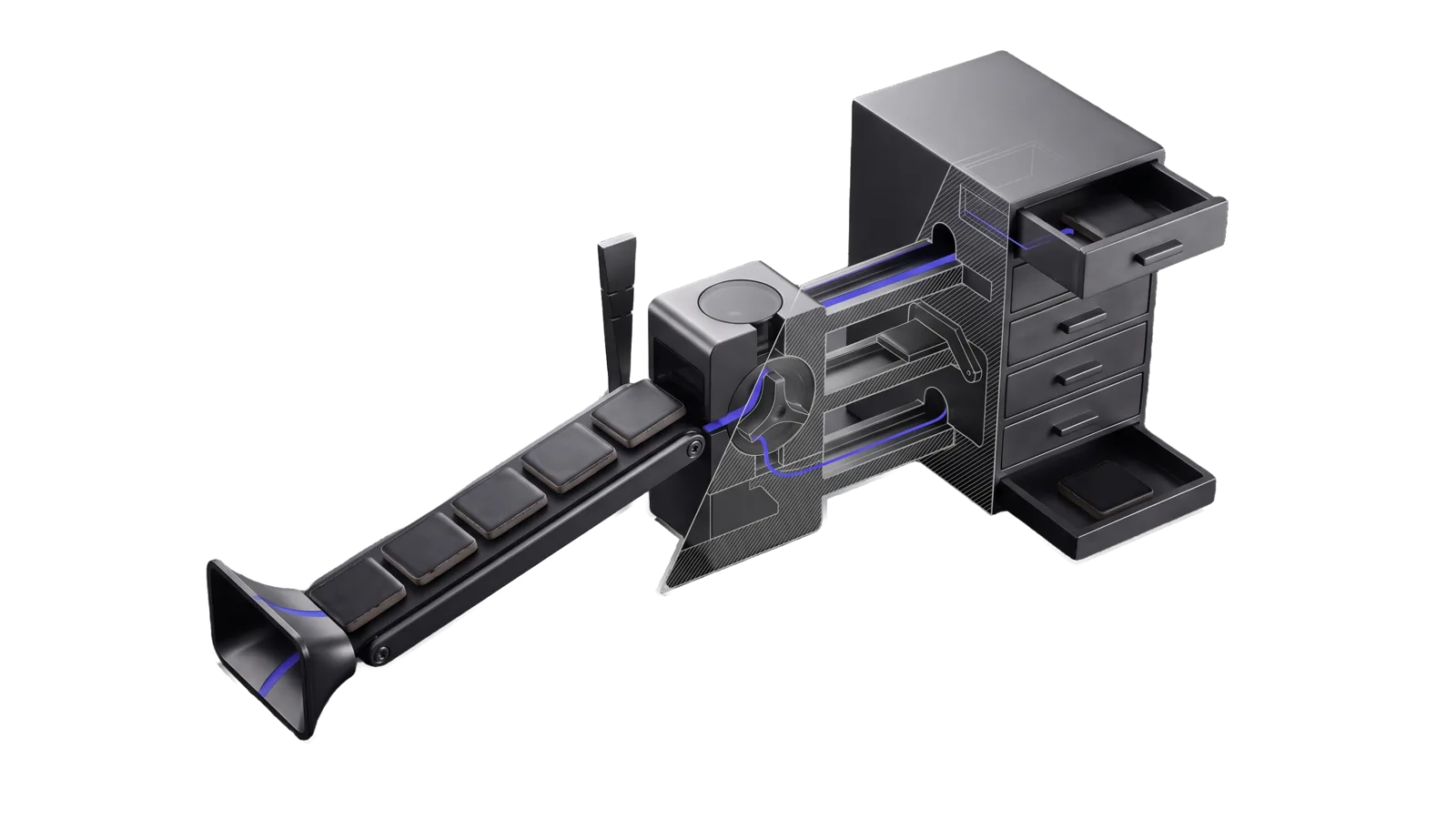
A rising conveyor of six dark tiles fed by a flared inlet, ending at a rotary valve block whose three channels run to a closed gate, a tray holding one tile and a tall bank of drawers with the top drawer open on a tile; the diagonal cut exposes the valve and channels as hatched faces and bone-grey outline, and an indigo line runs from the inlet through the valve into the open drawer.
Productivity

Migrate

Intakes external content (notes, CLAUDE.md, Cursor rules, Obsidian/Notion/Apple Notes exports), classifies chunks against the LifeOS taxonomy, and commits with provenance after confidence-tiered approval

00
Workflows
00
Tools
00
References
08
Triggers

The Problem

When you have years of notes, old LifeOS installs, Cursor rules, Obsidian vaults, or journal dumps sitting outside your current system, a generic AI will happily paste things in random places or ask you to sort every line yourself. It has no model of where a belief vs. a goal vs. a feedback rule belongs. You end up either doing all the routing by hand, or trusting the model's flat intuition and watching your TELOS files turn into garbage heaps.

How This Skill Approaches It

Migrate runs a real classification engine against the LifeOS taxonomy before touching anything. MigrateScan.ts reads your source — a file, a directory, stdin, an Obsidian export, a .cursorrules file — breaks it into chunks, scores each chunk against every destination in the LifeOS taxonomy (TELOS sections, IDEAL_STATE dimensions, MEMORY/KNOWLEDGE types, feedback memory files, PRINCIPAL_IDENTITY), and produces a routing table with per-category confidence scores. Chunks that score ≥70% go to a fast-approve path. Those in the 40–70% band surface for confirmation. Anything below 40% goes to a walk-through queue where you decide. MigrateApprove.ts commits with provenance comments so nothing lands without attribution. PRINCIPAL_IDENTITY changes always prompt regardless of confidence — that file is load-bearing.

Not for single-file edits, conversational interviews, identity edits

In Action

What you say to your DA, and what the Migrate skill actually does.

  • You say "migrate my old pai install's telos directory"
    Runs MigrateScan.ts against the old TELOS/ path, produces a routing table showing how many chunks map to GOALS, WISDOM, BELIEFS, etc. with average confidence per target, then walks through approval — fast-approve trusted items, step-by-step on anything uncertain.
  • You say "import my cursor rules file into the system"
    Scans the .cursorrules file, classifies most lines as feedback memory rules (the 'always do X / never Y' patterns), flags any identity-adjacent lines for confirmation, and commits each approved chunk to its own feedback_migrated_<slug>.md file with source attribution.
  • You say "i dumped a bunch of old journal notes into /tmp/journal.md — bring them in"
    Scans the journal, expects a high proportion of WISDOM and UNCLEAR chunks, presents the routing summary, then steps through low-confidence and unclassified sections one at a time so you make the call on each one.

Inside the Skill

The thinking, frameworks, and architecture that distinguish this skill from a generic version of the same task.

Ideal State

  • Every committed chunk lands in a LifeOS destination that fits it and carries provenance: an HTML comment naming source file, section and timestamp.
  • The principal sees the whole routing proposal (chunks per target, average confidence, UNCLEAR and under-40% counts) before anything is written, and picks how to approve it.
  • Each chunk under 60% confidence is approved one at a time, each UNCLEAR chunk is routed by the principal's own call, and each chunk under 40% is walked through with them first (a conversational rule; the tool does not enforce the 40% line).
  • Every AI collaboration rule reaches a constitutional surface (a CLAUDE.md operational rule, a hook, a settings.json permission, or the relevant skill's Gotchas), and every knowledge chunk becomes a new typed note with source metadata.
  • The run closes with what was committed per target, what is still UNCLEAR, and whether /interview should fill what the migration left sparse.

Anti-criteria

Each of these is refused in code by LIFEOS/TOOLS/MigrateApprove.ts; the parenthesis names the mechanism. MigrateApprove.test.ts covers the threshold, UNCLEAR, protected-target and duplicate refusals.

  • A chunk lands in PRINCIPAL_IDENTITY.md or under IDEAL_STATE/ without the principal's yes on that exact chunk. Identity is load-bearing, and IDEAL_STATE is fully private and curated, so each dimension is the principal's call. (Refused unless the single-item command carries --confirm-protected <id>; every bulk command rejects that flag.)
  • A chunk under 60% confidence, or an UNCLEAR chunk, is committed by a bulk command. (--approve-all takes only chunks at or above BULK_MIN_CONFIDENCE and leaves the rest pending; UNCLEAR is refused until --modify retargets it.)
  • A rule chunk is written to the harness memory/feedback_*.md directory. Every feedback memo is a missed system patch (LIFEOS/RULES/SelfHealing.md § Self-Healing Infrastructure, the "Override of harness auto-memory" paragraph), so rule chunks are walked through one by one to a constitutional surface. (A memory/feedback target is refused until --modify retargets it.)
  • A chunk is committed to a target that already holds its text. (Text is compared lowercased with whitespace collapsed against the target file or knowledge dir; a match is reported and left pending, and --reject <id> drops it.)

Inputs

MigrateScan classifies into a routing table; MigrateApprove commits per the user's chosen path.

Sources supported in V1

  • Files: .md, .markdown, .txt (single file or directory recursion)
  • Stdin: piped content or pasted directly
  • Other LifeOS installs: point at their USER/TELOS/ or MEMORY/KNOWLEDGE/ directories
  • Agent-harness rule files: CLAUDE.md, .cursorrules, OpenAI Custom Instructions export
  • Exports: Obsidian vaults (markdown), Notion exports (markdown), Apple Notes exports (.txt), raw journal dumps

Collect the source path from the user; pasted content goes in through --stdin.

Tool contract

Run the scanner:

bun ~/.claude/LIFEOS/TOOLS/MigrateScan.ts --source <path>
# or
echo "$CONTENT" | bun ~/.claude/LIFEOS/TOOLS/MigrateScan.ts --stdin
# preview the routing without writing the approval queue
bun ~/.claude/LIFEOS/TOOLS/MigrateScan.ts --source <path> --dry-run

Scanner output includes total chunks found, the proposed routing table (how many chunks per target), average classification confidence, the count of UNCLEAR chunks, and the count of low-confidence (<40%) chunks.

Then approve along the path the user picks:

Fast path (they say "approve all trusted"):

bun ~/.claude/LIFEOS/TOOLS/MigrateApprove.ts --approve-all

Commits pending chunks at ≥60% confidence. The tool itself skips, reports, and leaves pending: anything under 60%, UNCLEAR, any PRINCIPAL_IDENTITY.md or IDEAL_STATE/ target, and any chunk whose text already appears in its target. Then walk through what it skipped conversationally.

Category path (they say "approve goals and wisdom, skip knowledge"; the tool refuses a protected target here and skips duplicates):

bun ~/.claude/LIFEOS/TOOLS/MigrateApprove.ts --approve-target TELOS/GOALS.md
bun ~/.claude/LIFEOS/TOOLS/MigrateApprove.ts --approve-target TELOS/WISDOM.md

Walk-through path (they want careful review):

bun ~/.claude/LIFEOS/TOOLS/MigrateApprove.ts --review

For each pending chunk, show preview + proposed target + confidence + alternatives, and commit the user's decision: approve (--approve <id>), modify target (--modify <id> --target <new_target>), or reject (--reject <id>).

Protected targets (PRINCIPAL_IDENTITY.md, anything under IDEAL_STATE/): show the full chunk, get the user's yes on that one chunk, then:

bun ~/.claude/LIFEOS/TOOLS/MigrateApprove.ts --approve <id> --confirm-protected <id>

The confirm value must equal the id; bulk commands reject the flag.

UNCLEAR chunks are ones where no classification rule matched strongly. Display each one's full content (not just the preview), offer the likely destinations plus Knowledge/Ideas as a catch-all, and commit the user's choice via --modify <id> --target <chosen>.

Gotchas

  • TELOS and preference targets are refused on current installs. The scanner proposes TELOS/<NAME>.md targets (GOALS, WISDOM, BOOKS and the rest), which MigrateApprove resolves under LIFEOS/TELOS/ (not in the public release). TELOS now lives in one USER/TELOS/TELOS.md with H2 sections, so each such approval is refused as a missing target file (verified 2026-10-11 against the MigrateScan.ts target list and the missing-target refusal in MigrateApprove.ts). Until the tools retarget, add those chunks to the matching TELOS.md section through /Telos, then --reject <id> them here. Do not --modify them to USER/TELOS/TELOS.md: the tool appends at end of file, under whatever section is last.
  • Low average confidence (<40%): the source is probably genre-mismatched (e.g., code comments, logs, raw data). Consider pre-filtering to remove non-prose chunks before scanning.
  • Everything goes to UNCLEAR: the source probably has no recognizable LifeOS-taxonomy patterns. Either add the content manually via /Telos or write it as general Knowledge notes.
  • Duplicates are caught at approve time, not scan time. The scanner does not compare against existing files, so its routing table can count chunks that MigrateApprove will then skip as already present in their target (MigrateApprove.ts, duplicate skip; corrected 2026-10-10 from an older note saying nothing deduped). --dry-run is a MigrateScan flag; MigrateApprove has none.

Examples

User: /migrate ~/old-claude/TELOS/
→ Routing summary for every chunk in the old TELOS directory, then the fast-path vs. walk-through choice
User: /migrate, then pastes CLAUDE.md content
→ Read from stdin; most chunks classify as AI collaboration rules and are walked through to CLAUDE.md / hooks / skill Gotchas, plus PRINCIPAL_IDENTITY if identity lines are mixed in
User: "migrate my Cursor rules at ~/.cursor/rules"
→ Each rule walked through to its constitutional destination with extra care: Cursor rules often have tool-specific stuff that doesn't translate to LifeOS
User: "import the stuff I dumped in /tmp/journal.md"
→ Expect a lot of UNCLEAR + WISDOM; each section walked through

References

What it classifies chunks into

Category Destinations
Foundational TELOS MISSION, GOALS, PROBLEMS, STRATEGIES, CHALLENGES, BELIEFS, WISDOM, MODELS, FRAMES, NARRATIVES, SPARKS
IDEAL_STATE dimensions HEALTH, MONEY, FREEDOM, RELATIONSHIPS, CREATIVE, RHYTHMS
Preference files BOOKS, AUTHORS, MOVIES, BANDS, RESTAURANTS, FOOD_PREFERENCES, LEARNING, MEETUPS, CIVIC
Identity USER/PRINCIPAL/PRINCIPAL_IDENTITY.md
Knowledge MEMORY/KNOWLEDGE/{Ideas,People,Companies,Research}
AI collaboration rules Walk-through to a constitutional surface — CLAUDE.md operational rules, a hook, settings.json, or the relevant skill's Gotchas ("always do X" / "never Y" patterns are system patches, never harness memory/feedback_*.md memos)
Unclear Flagged for the user's manual routing
  • /interview — fills gaps by asking questions (not by intaking existing content)
  • /Telos Update intent — edit a single TELOS file directly
  • /Cortex — manage the Knowledge Archive the knowledge chunks land in
  • PRINCIPAL_IDENTITY.md edits outside a migration go to the install's profile skill when it has one; Migrate writes there only through --confirm-protected

Data & Config

Migrate has no config file. Both tools resolve every path under the LifeOS directory (LIFEOS_DIR, LIFEOS/ by default):

  • Approval queue: LIFEOS/MEMORY/MIGRATION/migration-proposals.jsonl. MigrateScan writes it, MigrateApprove works through it, and --reset clears it.
  • Commit log: LIFEOS/MEMORY/MIGRATION/committed.jsonl. MigrateApprove appends one line per approved chunk, with its target path and time.
  • Identity target: LIFEOS/USER/PRINCIPAL/PRINCIPAL_IDENTITY.md, protected.
  • Knowledge targets: LIFEOS/MEMORY/KNOWLEDGE/{Ideas,People,Companies,Research}/, one new note per chunk.
  • TELOS and preference targets: TELOS/<NAME>.md and TELOS/IDEAL_STATE/, which resolve under LIFEOS/TELOS/ (not in the public release) and are refused today (see Gotchas).
  • LIFEOS/USER/ and LIFEOS/MEMORY/ are symlinks into the private user-data repo, so a migration's writes are reviewed and reverted in that repo.

How to Invoke

Say any of these to your DA and LifeOS activates the Migrate skill automatically:

  • "/migrate"
  • "migrate content"
  • "import from other LifeOS"
  • "bring in old notes"
  • "import Cursor rules"
  • "import CLAUDE.md"
  • "bulk import"
  • "Obsidian/Notion/Apple Notes import"

Or invoke explicitly:

Skill("Migrate")

Want LifeOS to do this for you?

Install LifeOS on your machine — your DA gets the Migrate skill plus 96 others, all hooked into one Life OS.