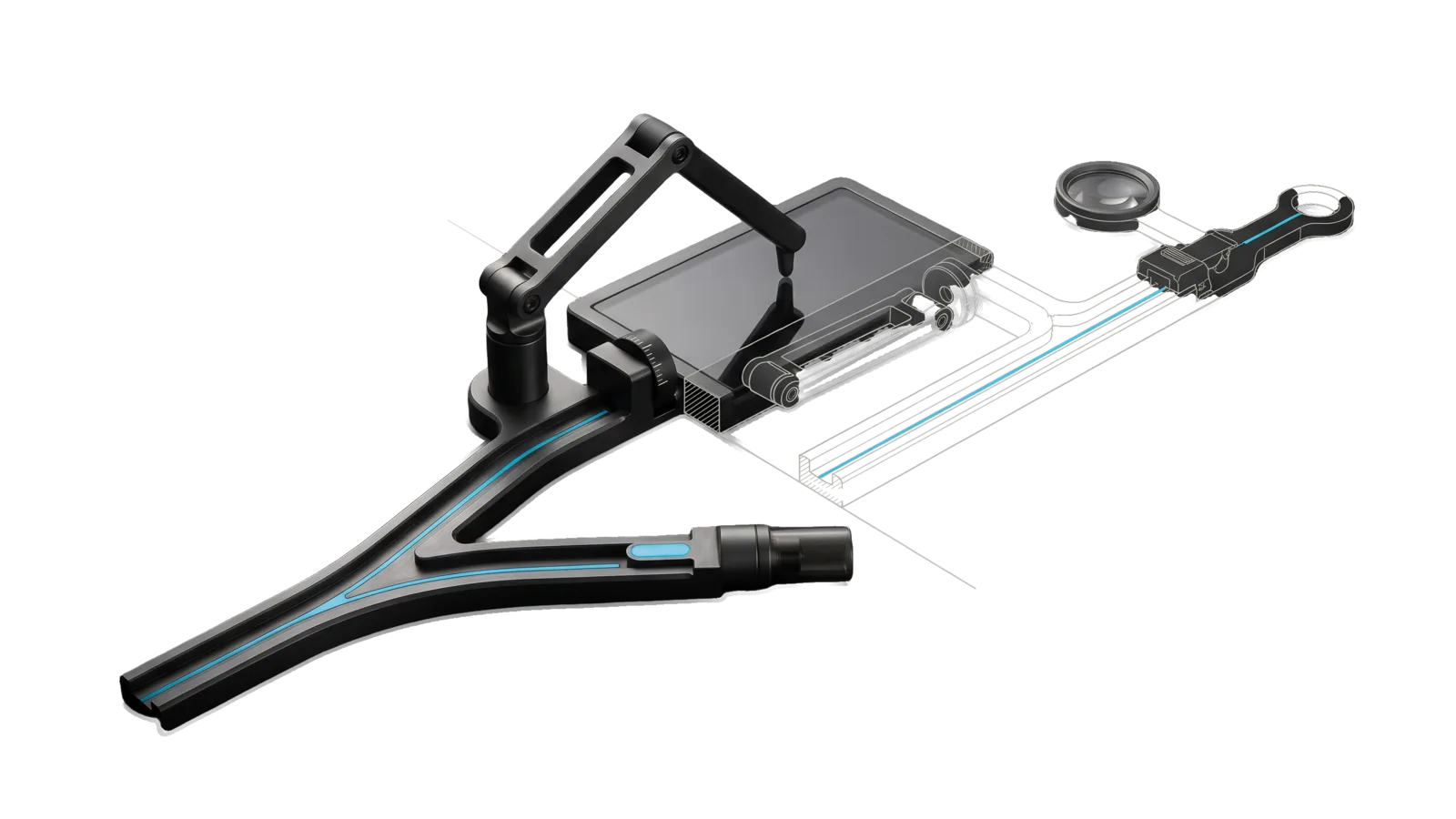
A machined track that splits at a points switch into a short straight branch ending in a socket coupling and a long branch rising to a jointed arm that presses a stylus onto a flat bed; a diagonal cut ghosts the far end, with a lens ring and latch before a ring terminal, in bone-grey outline, and a cyan line runs through the switch along the straight branch to the ring.
Development

ComputerUse

Front door for driving this Mac: anything with a DOM, AX, CLI, or API handle routes to Interceptor; pixel-only GUI work goes to a vision agent, OpenAI Astra via codex exec or a tool-less Claude acting through Interceptor's bridge, picked per task class by a measured bake-off, under a deny list, step caps, and a read-back that decides pass/fail

03
Workflows
06
Tools
03
References
10
Triggers

Key Points

Not for DOM/AX handles or web verification (Interceptor), scraping (a scraping skill, BrightData)

Inside the Skill

The thinking, frameworks, and architecture that distinguish this skill from a generic version of the same task.

Ideal State

  • Every task is routed by the readable rule before anything runs: verification and anything with a DOM, AX, CLI or API handle go to Interceptor, and only pixel-only work goes to the measured vision pick.
  • A vision run's verdict comes only from its declared verifier, never from the agent's own report, and no run starts without one.
  • The vision leg never sees a running credential app, a visible communications app or a denied host, never acts outside its allowlisted app, and stops at its step and wall-clock caps.
  • Send, buy, delete, publish or confirm happens only when the principal named that exact action, and every refusal is reported rather than worked around.

Intent Routing

Intent Trigger File
Drive "do this in the GUI", "drive ", "computer use for " Intents/Drive.md
Probe "is Astra computer use working", "probe the vision leg" Intents/Probe.md
BakeOff "bake-off", "which vision agent is better", "Claude vs OpenAI computer use", "re-score the vision legs" Intents/BakeOff.md
File Read when
Instructions.md changing what the Astra leg is told; the runner passes it as model_instructions_file on every spawn
Config.example.md setting up the deny lists, caps and Focus shortcuts in the USER Config.md
Tests/ changing routing, deny rules, caps or spawn flags (fixtures under Tests/fixtures/ are synthetic; source tree only, not in the release payload)
Setup.md first-time setup: the Config.md fields, the Codex app and plugin, permissions, and a dry-run proof
References/VisionLegs.md changing or debugging how the Astra or Claude leg is spawned and confined: codex flags, the Claude leg step loop, its tool restrictions, env drops, pixel-to-point mapping

The routing table

Intent Handle? Backend Why
verify / evidence any Interceptor, always Constitutional №2: Interceptor is the only sanctioned evidence path. No failure count or backend state changes this row.
act yes (DOM, AX element, CLI, API) Interceptor Deterministic is cheaper, faster, and auditable.
act no the vision pick for the target app: Astra or Claude Pixel-only authoring, canvas UIs, unscripted cross-app GUI flows.
act yes, but 2 Interceptor failures on this step the vision pick for that step Bounded escalation, logged once. Never the reverse direction.
any Interceptor preflight failed refused A broken evidence path is "tool broken", never "no handle".
act, vision — Claude only when vision_pick names it for that app (or as default) The pick is written from Tools/BakeOff.ts results, never by hand-waving. Unpicked or unmeasured classes stay Astra.

Code: Tools/Route.ts (pure, tested). Runner: Tools/Run.ts.

The supervised run

Both vision legs run under the same supervise() in Tools/Run.ts (--backend astra|claude; without it, the vision_pick for the target app). The deny scan, watcher, caps, headless refusal and verifier below are shared.

  • Refuses on a headless channel (exit 3), on a failed Interceptor preflight (exit 4), without a declared verifier (exit 5), and when the deny list fires (exit 2, naming the app or host).
  • Deny list (your Config.md): credential-class apps may not be running; communications apps may not be visible (hidden with Cmd+H is fine); browser tabs on denied hosts block. Enforced before spawn and by a watcher every poll interval during the run.
  • Per-run app allowlist (default: the target app alone); the watcher kills the child when the frontmost app leaves it.
  • Step cap and wall clock, enforced by the runner. Defaults 60 steps / 10 minutes; override per run. A step is one completed computer-use tool call on the Astra leg (one call can bundle several clicks, so the wall clock is the hard bound) and one executed action on the Claude leg.
  • A missing Config.md is refused (exit 2), never run with empty deny lists.
  • Optional Focus (Do Not Disturb) on/off Shortcuts wrap the run so banners cannot enter a frame.
  • Every exit path, aborts included, runs the declared verifier. The run record's verdict is written only from the verifier's exit code; the leg's own report is stored as text and never counts.
  • Voice line before the first action and at finish. No approval gate for the task you named; send, buy, delete, publish are excluded by the leg's instructions (Instructions.md for Astra, the step prompt in Tools/ClaudeLeg.ts for Claude) and stop the run.

Data & Config

User data lives outside the skill: LIFEOS/USER/CUSTOMIZATIONS/SKILLS/ComputerUse/Config.md (deny lists, caps, Focus shortcut names) and .../runs/ (run records). Template: Config.example.md. The public skill ships no app names, hosts, or paths from any installation. First-time setup (accounts, keys, config, a proof it works) is in Setup.md.

Gotchas

  • bun:ffi corrupts CoreFoundation tagged pointers returned as ptr (2026-10-06). Small CFNumbers and CFStrings on Apple Silicon are tagged pointers with the high bit set; a ptr return is a double and loses bits, and the next CF call segfaults. WindowBounds.ts declares every CF value return and argument as u64.
  • A locked Mac blocks input and Apple Events but not screenshots or window lists (2026-10-06). Frontmost reads loginwindow; macos script run and macos vision time out; clicks post without effect. Screenshots and CoreGraphics window frames still work, so a dry check passes while a live run cannot. Check interceptor macos frontmost before any live mission.
  • The Astra leg needs the Codex desktop app, not just codex-cli (2026-09-07). codex features list says computer_use stable true, but the tool (mcp__cua_repl.js) comes from the app's bundled computer-use@openai-bundled plugin: install the app (codex app), then codex plugin add computer-use@openai-bundled; after that headless codex exec mounts the tool. Without the app the CLI, the interactive TUI, and every config table all show no computer-use tool. Tools/Probe.ts is the check after any codex or app upgrade.
  • codex sends the user's global ~/.codex/AGENTS.md to the model on every spawn (2026-09-07, quoted back verbatim by the model), and neither model_instructions_file nor project_doc_max_bytes=0 stops it. Hooks (~/.codex/hooks.json), memories, and ~/.codex/skills ride along the same way. The runner therefore spawns codex with CODEX_HOME pointed at its own isolated home (ensureCodexHome: links to auth, the plugin cache, and the computer-use client; a minimal config; nothing else), and an invariant refuses a home that has grown an AGENTS.md, hooks, or a user skill. Probe after any codex upgrade: ask the model to quote anything mentioning your system by name; the answer must be NONE. Before the fix, a probe answered as the DA: Run.ts passes features.hooks=false and overrides model_instructions_file with Instructions.md on every spawn (a spawn without that override is not a ComputerUse run), both asserted by Tests/Spawn.test.ts.
  • Per-app access is a codex elicitation that headless mode auto-denies. First use of an app returns "Computer Use was not approved to use X". Grant it once in an interactive codex session (choose "Always allow"; the store is not a file I could find, but it persists across processes), then headless runs pass. Each new target app needs this once.
  • The service drives apps in the background and never brings them frontmost. Good: the principal's keystrokes never land in Astra's window. Consequence: an allowlist rule that waits for the target to become frontmost kills every run; the watcher arms on first entry, only once the target has been front, and not arming is never an abort. At spawn the front app is whatever the principal was using, so live runs died at spawn before the fix. grace_seconds (default 20) is still read from Config.md, but the watcher no longer waits on it (Run.ts arming comment, observed 2026-09-07).
  • cua.getApp times out (-10005 timeoutReached) when the target app has zero windows. Give the target a window before the run (open a file into it); a windowless TextEdit process also had to be quit and relaunched.
  • codex's approvals_reviewer = "auto_review" reviews every cua action and can veto one as "unacceptable risk", including a corrective click. A second safety layer worth keeping; write tasks so the first attempt is right (TextEdit: Cmd+Shift+G in the Save dialog, or the typed path becomes an iCloud filename).
  • Verifiers share the UI session and can hang. shortcuts run blocks forever while the Mac is locked (ioreg -n Root -d1 -a → CGSSessionScreenIsLocked), so the runner caps every verifier at 120s and counts a timeout as fail. shortcuts view prints nothing for any shortcut on this OS; prove a shortcut by running it with a nonce input.
  • open <signed .shortcut> produced no import dialog anywhere Interceptor could see (2026-09-05): Shortcuts' AX tree reads empty and macos vision timed out on TCC. Do not assume the "Add Shortcut" click path works on every machine; verify with shortcuts list after import. The one "Add Shortcut" click is bridge-routed Interceptor (interceptor macos find "Add Shortcut" --app Shortcuts, then act), never osascript.
  • bun test from the repo root walks the whole tree and can fail with EMFILE on the preload; run this skill's tests from its own directory: cd skills/ComputerUse && bun test Tests/ (source tree only; tests are not in the release payload). The ISA's Test Strategy rows do exactly that.
  • interceptor macos inspect is the visibility source: isHidden per app. interceptor macos windows lists AX windows even for hidden apps, so it cannot tell hidden from visible. A window on a second display has a negative y; it is still visible.
  • ~/Library/DoNotDisturb/ is TCC-protected; you cannot read Focus state from bash. Assert Focus through a Get Current Focus Shortcut, never the DB.
  • A frame can reach the vendor in the interval before the watcher's kill lands. The deny list bounds exposure; it does not eliminate it. Credential apps must not be running for exactly this reason.

Examples

Example 1: pixel-only task

User: "Build a shortcut in Shortcuts.app that echoes its input, call it CU Probe Echo"
→ Route: act, no handle → the vision pick for Shortcuts (Astra). Allowlist: Shortcuts. Verifier: `shortcuts run "CU Probe Echo" --input-path /tmp/in.txt | rg -q ping`.
→ Deny scan passes, Focus on, voice line, codex runs, watcher polls, verifier runs, record written, Focus off, voice line.
→ "Done: verifier passed (exit 0). Record: runs/2026-09-05T….json"

Example 2: task with a handle

User: "Click the Publish button on the CMS page"
→ Route: act, has handle (DOM) → Interceptor. Astra is never spawned.

Example 3: verification

User: "Verify the deploy looks right"
→ Route: verify → Interceptor, regardless of anything else.

Workflows & Routing · 3

Each workflow is one job the skill runs. The trigger phrases route your request to the right one — this is the skill's routing table.

  1. 01
    Drive Intents/Drive.md

    do this in the GUI, drive <app>, computer use for <task>

  2. 02
    Probe Intents/Probe.md

    is Astra computer use working, probe the vision leg

  3. 03
    BakeOff Intents/BakeOff.md

    bake-off, which vision agent is better, Claude vs OpenAI computer use, re-score the vision legs

Tools · 6

Deterministic executables the workflows call — the code that does the real work, not prompt scaffolding.

  • BakeOff.ts
  • ClaudeLeg.ts
  • Probe.ts
  • Route.ts
  • Run.ts
  • WindowBounds.ts

How to Invoke

Say any of these to your DA and LifeOS activates the ComputerUse skill automatically:

  • "computer use"
  • "drive the computer"
  • "control the mac"
  • "operate this app for me"
  • "do it in the GUI"
  • "pixel-only app"
  • "no API for this"
  • "canvas UI"
  • "computer-use bake-off"
  • "Claude vs OpenAI computer use"

Or invoke explicitly:

Skill("ComputerUse")

References · 3

Auxiliary files the skill loads at runtime — frameworks, guides, configs.

  • Config.example
  • Instructions
  • Setup

Want LifeOS to do this for you?

Install LifeOS on your machine — your DA gets the ComputerUse skill plus 96 others, all hooked into one Life OS.