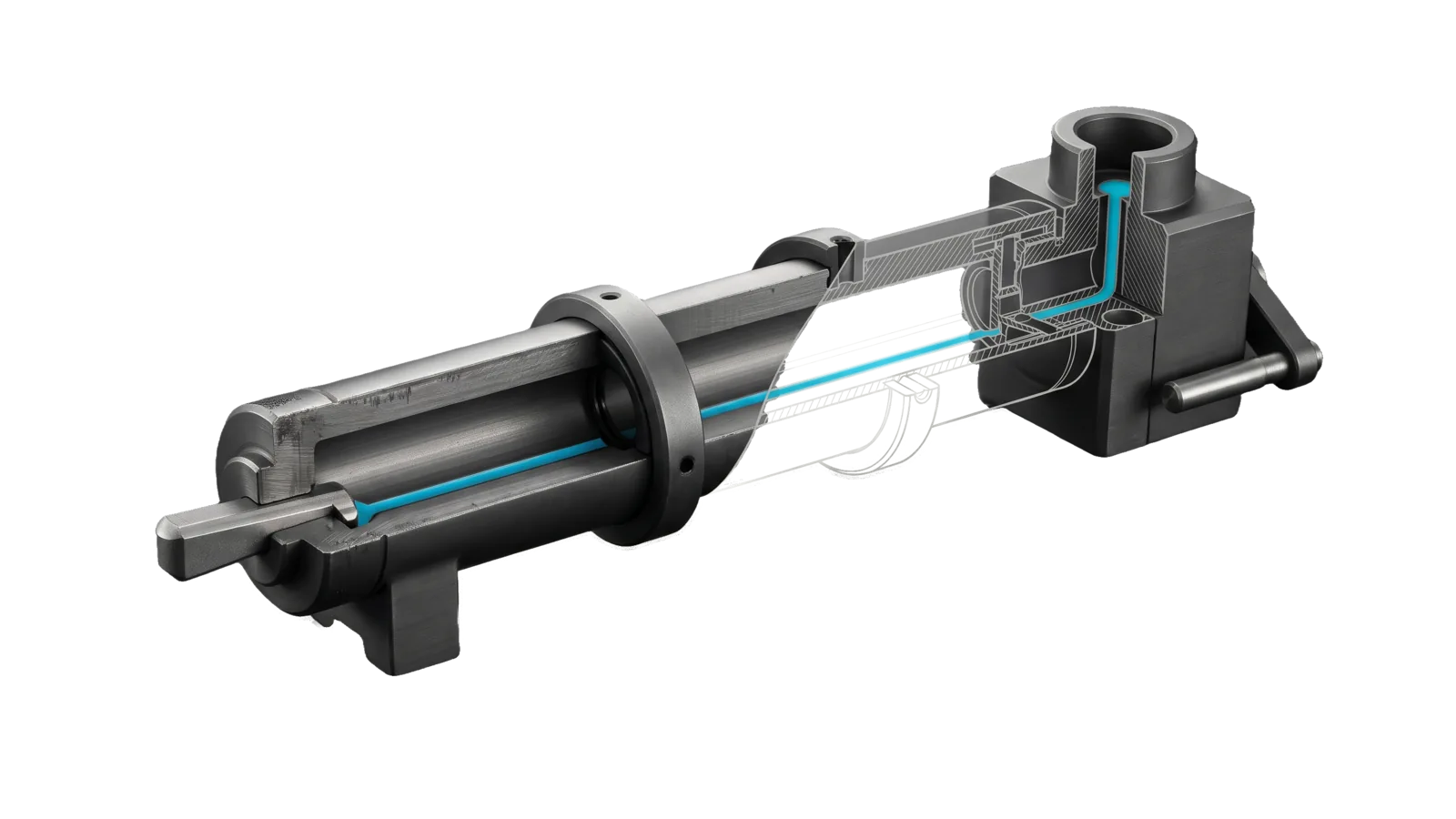
A long graphite runner sleeve with a single key seated at its near end and a clamping ring around its middle, cut diagonally so the bore and a worker block with a ring-topped outlet at the far end are drawn as ghosted section; one cyan line runs from the key along the whole bore up into the outlet.
Development

Cloudflare

Deploys and manages Cloudflare Workers, Pages, KV, R2, D1, DNS, and Queues with the cf CLI, converts Wrangler projects to cf, and authors MCP servers as Workers; never call cf or wrangler raw for a write

05
Workflows
00
Tools
01
Reference
22
Triggers

Key Points

Not for non-Cloudflare deploys or MCP servers we only consume

Inside the Skill

The thinking, frameworks, and architecture that distinguish this skill from a generic version of the same task.

Ideal State

  • Every account-touching Cloudflare call runs through LIFEOS/TOOLS/CfEnv.ts, so the master token from .env reaches one cf process and nothing else: no raw cf or Wrangler write, no sourced .env, no OAuth fallback.
  • Whatever is deployed or created answers only on its authoritative URL (custom domain with workers.dev and previews off, or workers.dev when no domain exists). The report proves it live with a version ID and a probe, and the code review, new-zone baseline and registration gates were passed rather than overridden.
  • Reads and diagnoses come from live cf output in the same turn. An auth failure is traced through auth whoami and a scope-matching probe before any rotation is considered.
  • An MCP server built here is a stateless Worker that meets References/McpServerSpec.md.

Intent Routing

Intent Trigger File
Deploy Any Cloudflare write (deploy, secret, D1 migration or write, KV/R2 write, queue create, Pages deploy), an approved teardown, and converting a Wrangler project Intents/Deploy.md
Create Create a Worker or MCP server Intents/Create.md
Troubleshoot Deployment issues Intents/Troubleshoot.md
Query Cloudflare state (list workers, versions, KV, DNS, D1, logs, analytics), read-only via cf Intents/Query.md
Explorer Inspect Worker bindings/data live via Local Explorer Intents/Explorer.md
File Read when
References/McpServerSpec.md Before writing any MCP server. The normative 2026-07-28 build contract — stateless shape, server/discover, resultType, CacheableResult, required headers, MRTR, deprecated features not to adopt. Every MCP server built here uses this structure.
References/CfCli.md finding the cf command for a task (the decision table), cf output, auth order, --local mode, Access, previews, secrets-store and other capabilities, or falling back to Code Mode MCP
References/RuntimeGotchas.md writing or applying a D1 migration, exporting or backing up D1, long waitUntil or cron jobs, static-asset caching headers, Durable Object containers, deciding Container vs isolate, or probing an Astro POST route
References/StaticSiteConfig.md writing or converting a project's cloudflare.config.ts and vite.config.ts, static sites especially
Setup.md first-time setup: the two .env keys, the deploy review's reviewer and waivers, the Config.md entries, and the no-account check that CfEnv's allowlist guard is in place
LIFEOS/TOOLS/CfEnv.help.md CfEnv's usage, verb allowlist and refusals

How It Works

  • cf CLI (open beta) is the only Cloudflare CLI this skill uses. Every account call runs the one version CfEnv pins as CF_PACKAGE in LIFEOS/TOOLS/CfEnv.ts (cf@1.0.0-beta.5 when this was written; read the constant for the current pin), not whatever cf is installed globally. The pin costs container Workers: a Durable Object container needs cf@1.0.0-beta.10 or later (References/RuntimeGotchas.md § Durable Object containers), so a container Worker cannot deploy through CfEnv until the pin moves. Moving it is a deliberate change: beta.14 dropped observability telemetry query, which scheduled log readers rely on (LifeOS's optional Vigil monitor is one), so check every command your callers run against the new version first. Its command map, discovery, output, local mode and extra capabilities are in References/CfCli.md.
  • LIFEOS/TOOLS/CfEnv.ts runs one cf command with CLOUDFLARE_API_TOKEN and CLOUDFLARE_ACCOUNT_ID from ~/.claude/.env injected into that child process only, behind a verb allowlist. secret put is translated so the value travels on stdin, never as an argument. Every non-dry-run deploy first runs the independent code review (LIFEOS/TOOLS/Review.ts), which needs a reviewer model from the other vendor and fails closed without one (Setup.md § Deploy review); a blocker stops the deploy. After a deploy it checks each declared domain's X and LinkedIn link card, a public fetch that needs no setup.
  • Code Mode MCP is a fallback for API reads only when it is connected and CfEnv is unavailable (References/CfCli.md § Code Mode MCP fallback).

Wrangler is retired here. Projects carry cloudflare.config.ts + vite.config.ts (the @cloudflare/vite-plugin bundles the Worker, so no project needs Wrangler installed). A repo that still has a wrangler.toml|json|jsonc is unconverted: convert it (Intents/Deploy.md § Converting a Wrangler project) before deploying.

Workers-first doctrine

Default to Workers for everything, static sites included; use Pages only when the user explicitly asks for Pages. A static site (HTML/CSS/JS/JSON, with or without a build step) deploys as a Worker with Static Assets, configured by cloudflare.config.ts and vite.config.ts as in References/StaticSiteConfig.md. Then deploy through Intents/Deploy.md. Add an entrypoint Worker script only if the site needs server logic. Reach for cf pages deploy only when the user explicitly requests Pages.

Dev-URLs-off doctrine

Every worker serves only its authoritative URL. A worker with a custom domain or route ships workersDev: false + previewUrls: false, set explicitly as in References/StaticSiteConfig.md, so there is no *.workers.dev second origin. The one exception is a worker whose workers.dev URL is the authoritative URL because no custom domain exists (for example an internal worker, or one not yet launched on its domain). To turn a stray dev URL off: POST /accounts/{id}/workers/scripts/{name}/subdomain with {"enabled":false,"previews_enabled":false}. A scheduled check that GETs each routed worker's *.workers.dev origin and flags anything other than 404/410 is the backstop; if Config.md names one under dev_url_check:, read its latest result before treating the account as clean.

cf CLI

Every account-touching command runs as bun ~/.claude/LIFEOS/TOOLS/CfEnv.ts <cf args>, on the pinned version. A global cf serves only the plain calls (discovery, --help, --local, a project's dry run); updating it changes nothing CfEnv runs. Re-probe (--version, --help) on every pin move, because command names still move between betas.

bun add -g cf@latest        # plain cf for discovery and local work; LifeOS rule: bun only
cf cli telemetry status     # match PREFERENCES.md § Telemetry when the install sets one
  • Discovery. Keep cf cli search queries anonymous: describe the action and resource type, never a name, domain, ID or token.
  • Auth. CfEnv.ts auth whoami is the auth probe.
  • Safety. Delete and update commands hit the live API. Most accept --dry-run; use it first on anything destructive.

Credentials

A single master CLOUDFLARE_API_TOKEN lives in ~/.claude/.env: one Account API Token granted only the scopes your deploys use. A site that ships Workers with a D1 database on its own domain, for example, needs Workers Scripts edit, Workers Routes edit, D1 edit and Zone DNS edit, and nothing account-wide beyond that; add a product's scope when you start deploying it. The token's name and exact permission set are yours to record in Config.md, never here. Every Cloudflare operation — deploys, reads, secrets, Pages, D1, R2, KV, DNS — uses it through CfEnv. Code that needs the token at runtime resolves process.env.CLOUDFLARE_API_TOKEN only, never a per-product variant; per-product names (_WORKERS_EDIT, _WORKERS_READ, _D1) split one credential into several that drift apart. Never unset the token to coast on an OAuth login; that false fix hides the real fault and restarts the rotation loop. A Worker that needs the token at runtime gets it with CfEnv.ts secret put CLOUDFLARE_API_TOKEN --name <worker> --from-env, and every such Worker is re-threaded after a rotation; keep the list of them in Config.md.

Data & Config

First-time setup, the Config.md entries and a no-account proof: Setup.md.

  • Account-specific facts → <configRoot>/LIFEOS/USER/CUSTOMIZATIONS/SKILLS/Cloudflare/Config.md (configRoot is $CLAUDE_CONFIG_DIR when set, else ~/.claude): the token's name and permission set, the Workers that consume the token at runtime, and the optional new_zone_sweep:, dev_url_check: and scanner_registration: commands. The skill body reads it; no code parses it.
  • Optional preferences → PREFERENCES.md in the same directory; when present they override defaults here.
  • Credentials → CLOUDFLARE_API_TOKEN and CLOUDFLARE_ACCOUNT_ID in ~/.claude/.env, read only by LIFEOS/TOOLS/CfEnv.ts, which stops with exit 2 when the token is missing.
  • Runtime ledgers → on every real deploy, success or failure, CfEnv appends one line to LIFEOS/MEMORY/STATE/deploys.jsonl (commit, review, probes, version and previous version, for rollback) and records one estate event in the Ledger through LIFEOS/TOOLS/LedgerDeployEvent.ts (MEMORY/SYSTEMUPDATES/deploys.jsonl).

Gotchas

  • A new apex domain ships bare until your baseline is applied. Zone settings and transform rules are per-zone, so a brand-new zone has none of what existing zones carry. The gate, and what DeployRegistrationGate checks, is in Intents/Deploy.md § Safety gates.
  • Wrong probe trap. /user/tokens/verify requires User Details: Read, which an Account API Token scoped to deploy work usually lacks, so it returns code 1000 on a valid token. Never use it to test the master. Use a scope-matching probe (e.g. /accounts/{id}/workers/scripts) or CfEnv.ts auth whoami. A false negative here leads straight into needless rotation loops.
  • Verify the token against what you deploy, not against its docs. A 200 from each product endpoint you use (/accounts/{id}/d1/database, /pages/projects, /r2/buckets, /storage/kv/namespaces, /workers/scripts, /analytics_engine/sql, /zones) is the proof of scope; older notes claiming a token lost a scope go stale.
  • The cf that answers is CfEnv's pin, not the global install. A stale CLI produces wrong errors (an old Wrangler once masked the real D1 scope state behind a misleading error), and cf is beta and moves fast. When an error looks wrong, check the command against the pinned version (bunx <CF_PACKAGE> <command> --help) before blaming the account; bun add -g cf@latest or bun add -d cf@latest updates only plain cf, never what CfEnv runs.
  • Project code must not spawn cf raw. Wrangler coasted on a saved OAuth login; cf reads CLOUDFLARE_API_TOKEN from its environment, which an interactive shell carries whenever its profile exports .env, so a raw call runs outside CfEnv's probes, review and allowlist, and fails wherever no shell export exists. Every script, package script or tool that calls the account runs bun "$HOME/.claude/LIFEOS/TOOLS/CfEnv.ts" <args> (TypeScript: spawn bun with CfEnv as the first argument). --local, --dry-run and discovery calls stay plain cf. A Wrangler-era repo usually has several raw calls in package scripts and tools; find them all when converting.
  • cf dry-run of a secret write prints the value. CfEnv refuses --dry-run on every secret put for that reason, before stdin or any credential is read.
  • cf deploy deletes every secret the config does not declare. A secret set with secret put survives only while cloudflare.config.ts lists it as NAME: bindings.secret() under env. Wrangler kept undeclared secrets, so every converted project is exposed. A dropped secret can lock every user out of a site with no error at deploy time. Declare every live secret before the next deploy (workers secrets list --worker <name> shows them), then re-list after deploying. Also: secret put --from-env KEY reads ~/.claude/.env, not the shell, so pipe other values on stdin (CfEnv.ts secret put NAME --name <worker> < file).
  • A generated deploy directory gets a whole-repo review. CfEnv reviews the directory it runs in; when that directory is git-ignored build output (for example a cf/build/<Worker> directory), it reviews the repository root instead, because the generated folder's own diff is always empty.
  • d1 query output through CfEnv is JSON on the combined stream. Capture with 2>&1 and parse from the first [; redirecting stderr to /dev/null can leave nothing to parse.

Examples

Example 1: Deploy a Worker

User: "deploy the MCP server to Cloudflare"
-> Deploy intent
-> "Deployed version <id>, live at https://<custom-domain>" — the version ID from cf's deploy output, confirmed in `CfEnv.ts workers versions list`, plus a live probe of the custom domain

Example 2: Query Cloudflare state

User: "list all my workers"
-> Query intent
-> A table of every deployed worker, read from `CfEnv.ts workers list` this turn

Example 3: Fix deployment error

User: "Cloudflare deploy is failing with auth error"
-> Troubleshoot intent
-> `CfEnv.ts auth whoami` and the scope-matching probe (/accounts/{id}/workers/scripts?per_page=1) run first; 200 means token is fine and failure is downstream; 403 or code 10000 means checking the account ID and scope against Config.md; only a 401 or an invalid-token error leads to rotation
-> "Probe returned 200 — token healthy; root cause was a stale binding in cloudflare.config.ts. Redeployed successfully."

Example 4: Check DNS records

User: "what DNS records does example.com have?"
-> Query intent
-> The full DNS record table from `CfEnv.ts dns records list -z <zone>`

Workflows & Routing · 5

Each workflow is one job the skill runs. The trigger phrases route your request to the right one — this is the skill's routing table.

  1. 01
    Deploy Intents/Deploy.md

    Any Cloudflare write (deploy, secret, D1 migration or write, KV/R2 write, queue create, Pages deploy), an approved teardown, and converting a Wrangler project

  2. 02
    Create Intents/Create.md

    Create a Worker or MCP server

  3. 03
    Troubleshoot Intents/Troubleshoot.md

    Deployment issues

  4. 04
    Query Intents/Query.md

    Cloudflare state (list workers, versions, KV, DNS, D1, logs, analytics), read-only via cf

  5. 05
    Explorer Intents/Explorer.md

    Inspect Worker bindings/data live via Local Explorer

How to Invoke

Say any of these to your DA and LifeOS activates the Cloudflare skill automatically:

  • "deploy worker"
  • "deploy pages"
  • "ship worker"
  • "push to cloudflare"
  • "wrangler deploy"
  • "Cloudflare"
  • "Pages"
  • "DNS"
  • "KV"
  • "R2"
  • "D1"
  • "Queues"
  • "Workers AI"
  • "worker logs"

Or invoke explicitly:

Skill("Cloudflare")

References · 1

Auxiliary files the skill loads at runtime — frameworks, guides, configs.

  • Setup

Want LifeOS to do this for you?

Install LifeOS on your machine — your DA gets the Cloudflare skill plus 96 others, all hooked into one Life OS.