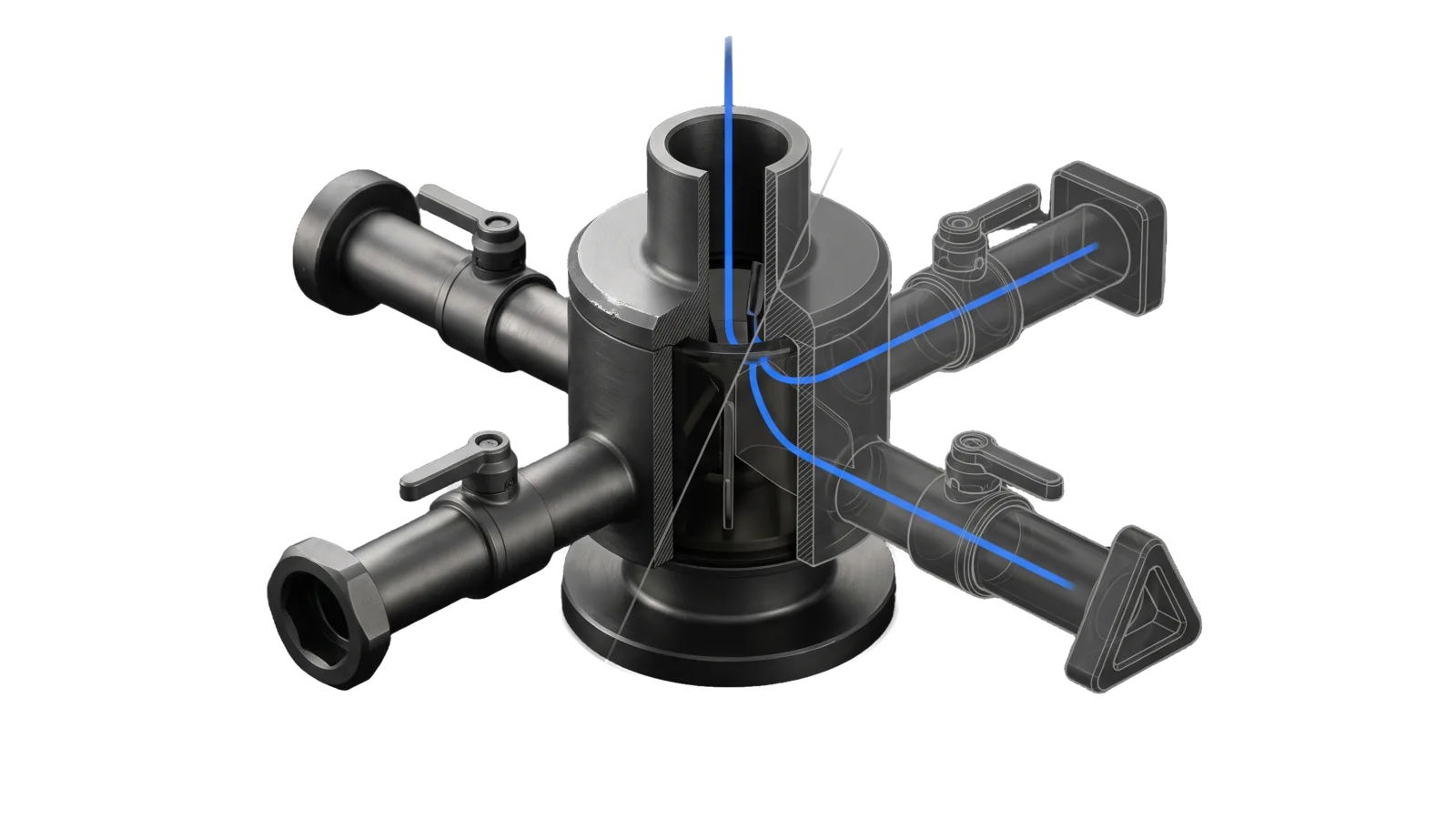
A cylindrical distributor block with a single inlet duct on top and four tubes radiating to four differently shaped sockets, round, square, hexagonal and triangular, each tube with a lever valve, the two far tubes drawn in bone-grey outline past a diagonal cut, and an electric-blue line splitting from the inlet into the open tubes.
Development

Broadcast

Multi-platform social syndication CLI: post text and media to X, LinkedIn, Bluesky, and Instagram from one command, with per-platform limits, --dry-run, status checks; also X Articles, podcast episodes to Omny, newsletter shares

11
Workflows
05
Tools
01
Reference
13
Triggers

Key Points

Not for writing the copy itself, X-only ops (X), Substack

Inside the Skill

The thinking, frameworks, and architecture that distinguish this skill from a generic version of the same task.

Ideal State

  • A broadcast reaches every platform the principal named, and "all channels", "everywhere", "all three" or "all four" means all four; a platform that fails or is skipped is reported with its reason while the rest still post.
  • Each platform gets text that fits its own limit and format before anything is sent: X text is weighed and never sliced, and styled LinkedIn text goes in a run of its own.
  • When the principal hands over written prose, their words go out verbatim with only platform markup added; drafting new copy belongs to a copywriting skill.
  • A cross-post of the principal's latest X post ("put my latest tweet on LinkedIn and Insta") carries that post's exact text and media, read back from X with X/Tools/read.ts, with t.co links expanded to their real URLs and nothing added beyond LinkedIn styling.
  • Nothing public goes out unpreviewed: a --dry-run comes first, irreversible publishes (an X Article, a live podcast episode) wait for confirmation, and success is reported from what the platform returned (post links, X expanded_url matching the canonical URL, a verified Omny publish).

Intent Routing

Intent Trigger File
X "post to X", "tweet", "post to Twitter" Intents/X.md
Article "post an article to X", "publish as an X article", "long-form on X", "intro post plus article link" Intents/Article.md
LinkedIn "post to LinkedIn", "LinkedIn post" Intents/LinkedIn.md
Bluesky "post to Bluesky", "Bluesky post" Intents/Bluesky.md
Instagram "post to Instagram", "Instagram post", "reel", "carousel" Intents/Instagram.md
Podcast "post as podcast", "publish podcast episode", "put this on the podcast", "Omny" Intents/Podcast.md
ShareNewsletter "share the newsletter", "newsletter share post", "post the newsletter to LinkedIn", "share this week's edition", "edition share card", "sponsor thank-you in the share" Intents/ShareNewsletter.md
Post "broadcast", "post to all", "cross-post" Intents/Post.md
Status "check status", "platform status" Intents/Status.md
Auth "configure", "auth", "setup platform" Intents/Auth.md
SecurityValidation "validate content", "check post" Intents/SecurityValidation.md
File Read when
Setup.md first-time setup: the Config.md fields, each platform's account and secrets, the scheduled token renewal, and the proof it works
Tools/ running a platform tool directly; Tools/LinkedInAuth.help.md is the full LinkedInAuth.ts contract (the tool itself prints a one-line usage)

Platforms

Platform Auth Images Videos Media limits Text limit
Twitter/X OAuth 2.0 user context (the X skill's token store); OAuth 1.0a keys for text only Up to 4 1 per post Images: 5MB, Videos: 512MB 280 weighted characters (URLs = 23)
LinkedIn OAuth 2.0 access token Up to 20 (multiImage) 1 per post Images: 8MB, Videos: 500MB 3,000
Bluesky App password Up to 4 1 per post Images: 1MB, Videos: 50MB 300
Instagram Instagram Login (60-day token) Up to 10 (carousel) 1 (Reel) Images: 8MB JPEG, Videos: 300MB 2,200
Podcast (Omny Studio) OMNYSTUDIO_API_KEY
X Articles (long-form) Same X OAuth 2.0 store

Supported formats:

  • Images: JPG, JPEG, PNG, GIF, WebP (Instagram auto-converts to JPEG)
  • Videos: MP4, MOV, AVI, WebM

--media takes local file paths only; a remote URL fails with "Media file not found". Instagram is media-required (no text-only posts) and JPEG-only for images; its R2 staging contract is in Intents/Instagram.md.

Post logs append to LIFEOS/MEMORY/STATE/Broadcast-YYYY-MM-DD.jsonl under your LifeOS directory (~/.claude/LIFEOS by default; LIFEOS_BROADCAST_LOG_DIR overrides it), outside the skill dir. The CLI entry points are bun ${LIFEOS_SKILL_DIR}/src/index.ts and its alias Tools/Broadcast.ts; each intent carries its own commands.

Data & Config

The skill body carries no handles, program IDs or newsletter identity. Account-bound values live outside the skill tree (release-excluded) in LIFEOS/USER/CUSTOMIZATIONS/SKILLS/Broadcast/Config.md: the Omny program, playlist ids and episode settings, which Tools/OmnyPublish.ts reads at runtime through src/skill-config.ts; the newsletter name, URL, edition label, the optional share features (sponsor thank-yous, the edition share card and its brand file, the card file prefix, the writing audit) and an optional house-rules overlay, which the ShareNewsletter intent reads; the optional posting preferences house_style and video_followup (both off by default), which post, edit and the platform intents read; and the account handles for reference. Every key, with a made-up example, is in Setup.md. X's token store is configured in the X skill's own Config.md (skills/X/Setup.md). Per-platform API keys are env-var names whose values live in ~/.claude/.env; LinkedIn, Bluesky and Instagram sessions live in ~/.broadcast/credentials.json.

Gotchas

  • "All channels" includes Instagram, which needs media. A post with no media still goes to the three text platforms and reports Instagram as skipped, so ship an image whenever one exists.
  • LinkedIn styling is converted from markdown, and required only under the house style. **bold**, # Header and the rest become LinkedIn's styled text (the table in Intents/LinkedIn.md). With house_style = true in Config.md, every LinkedIn post (cross-posts, newsletter shares, edits) carries a **bold** hook line or # Header lines, the author's words stay verbatim with only the markup added, and post and edit refuse LinkedIn content with no bold span or header line (exit 1, dry-run included); --linkedin-plain is the named exception. With the key absent or false (the default), plain text posts as written. Either way, because ** would show raw on X and Bluesky, LinkedIn gets its own run with its own styled file whenever styled text is shared with another platform.
  • X text is weighted, never raw-truncated. Every HTTP(S) URL counts as 23 characters, while Unicode uses X's code-point/emoji weighting. X/Tools/TwitterText.ts is the shared validator used by Broadcast and X/Tools/post.ts. Preserve the caller's exact text and full canonical URLs; if weighted length exceeds 280, fail closed instead of slicing or adding an ellipsis. After publishing, read the returned tweet with X/Tools/read.ts and confirm each expanded_url equals the intended canonical URL before reporting success.
  • Every video passes the PII gate before upload (LIFEOS/TOOLS/VideoPiiGate.ts, run by post and article): findings stop the post until you add --pii-reviewed; --skip-pii bypasses the scan loudly and is for when the scanner is down only.
  • The send gate proofs the exact bytes each platform receives. post runs SendGate's code-tier proof (LIFEOS/TOOLS/lib/SendGate.ts) on each platform's wire text and media immediately before the network call; a fail closes that platform and nothing is transmitted. Two LinkedIn exceptions: a LinkedIn video is held to LinkedIn's own spec and the video PII gate, not to the proof's file checks, and it uploads from its original path; and a link card's title, description and image are fetched from the linked page at send time, so the gate never sees them (on a URL-only post the commentary is that fetched title, and the gate proofs the URL).
  • LinkedIn's commentary field is "little text format" — unescaped ( ) [ ] { } < > @ # * _ ~ | silently swallow content. The API returns 201 and the post publishes truncated at the first reserved char, so a hook like "(No. 42) is out" is cut mid-line. escapeLittleText() in src/format/linkedin-formatter.ts escapes these outside URLs, well-formed mentions, and letter-led #Word hashtags (#42 still escapes), and assertLittleText() runs on the exact wire string before POST and throws on any unescaped reserved char, so this class now fails loud instead of shipping truncated. Truncation never cuts inside a mention. Dry-run shows the styled text without the escaping backslashes, cut where the escaped wire form is cut, with the link-card URL on its own line.
  • Auth tokens expire. If posting fails, re-check OAuth tokens for each platform before debugging the content.
  • ALL X posting — text and media — runs on the X skill's OAuth 2.0 token store. The twitter adapter hands every post to X/Tools/post.ts, which uses OAuth 2.0 user context (tweet.write + media.write + offline.access). Where the grant lives and who refreshes it is the X skill's Config.md, never this skill's. With no store configured, post.ts falls back to the OAuth 1.0a env keys for text only; X can revoke those keys without notice and they have no media path, so a split path would post text while video silently fails. A twitter 401 on text means the grant lost tweet.write; a 403 on media means the grant is missing media.write — either way, re-auth once via X/Tools/bookmarks.ts authorize.
  • status's twitter row verifies the path posting will use. It checks the X skill's token store first (hasOAuth2Store()) and calls /users/me through it; only with no store does it verify the OAuth 1.0a keys. Keys that merely sit in .env never count as connected, because revoked keys look exactly like live ones until a call fails.

Examples

User: "put my latest tweet on linkedin and insta"
→ Post intent
→ The X post's exact text, links expanded, is live on LinkedIn (bold hook added) and on Instagram with its image, both links reported
User: "Post to LinkedIn only: 'Finally moved the whole build to the new toolchain.' with link https://example.com/blog/toolchain"
→ LinkedIn intent
→ The post is live with the words verbatim and the article's link-preview card, and the post link is reported
User: "post my video ./my-export.mp4 to Instagram"  (the user's own local file; given only a link, the run asks for the local file and never downloads it)
→ Instagram intent
→ The file passes the PII gate and is live as a Reel; the Reel link is reported

Workflows & Routing · 11

Each workflow is one job the skill runs. The trigger phrases route your request to the right one — this is the skill's routing table.

  1. 01
    X Intents/X.md

    post to X, tweet, post to Twitter

  2. 02
    Article Intents/Article.md

    post an article to X, publish as an X article, long-form on X, intro post plus article link

  3. 03
    LinkedIn Intents/LinkedIn.md

    post to LinkedIn, LinkedIn post

  4. 04
    Bluesky Intents/Bluesky.md

    post to Bluesky, Bluesky post

  5. 05
    Instagram Intents/Instagram.md

    post to Instagram, Instagram post, reel, carousel

  6. 06
    Podcast Intents/Podcast.md

    post as podcast, publish podcast episode, put this on the podcast, Omny

  7. 07
    ShareNewsletter Intents/ShareNewsletter.md

    share the newsletter, newsletter share post, post the newsletter to LinkedIn, share this weeks edition, edition share card, sponsor thank-you in the share

  8. 08
    Post Intents/Post.md

    broadcast, post to all, cross-post

  9. 09
    Status Intents/Status.md

    check status, platform status

  10. 10
    Auth Intents/Auth.md

    configure, auth, setup platform

  11. 11
    SecurityValidation Intents/SecurityValidation.md

    validate content, check post

Tools · 5

Deterministic executables the workflows call — the code that does the real work, not prompt scaffolding.

  • Broadcast.ts
  • InstagramAuth.ts
  • LinkedInAuth.ts
  • LinkedInComment.ts
  • OmnyPublish.ts

How to Invoke

Say any of these to your DA and LifeOS activates the Broadcast skill automatically:

  • "broadcast"
  • "post to social media"
  • "cross-post"
  • "post to all"
  • "syndicate"
  • "publish to all platforms"
  • "post to Instagram"
  • "check platform status"
  • "post this everywhere"
  • "share the newsletter"
  • "edition share card"
  • "newsletter share card"
  • "sponsor thank-you in the share"

Or invoke explicitly:

Skill("Broadcast")

References · 1

Auxiliary files the skill loads at runtime — frameworks, guides, configs.

  • Setup

Want LifeOS to do this for you?

Install LifeOS on your machine — your DA gets the Broadcast skill plus 96 others, all hooked into one Life OS.